This guide starts with handyman businesses, then covers the AI tools and workflows that matter for pest control, solar, moving, locksmith, garage door, appliance repair, pool service, HVAC, painting and tree service companies. Use the table of contents to jump to your trade.
Running a handyman business often means doing several jobs at once.
Not just the actual repair work.
A handyman may also need to manage:
- new enquiries;
- quotes;
- customer messages;
- schedules;
- travel between jobs;
- jobsite photos;
- invoices;
- payments;
- follow-ups;
- marketing.
For a solo handyman or a small team, that can create a major administrative burden.
That is where AI tools for handyman businesses can help.
The best AI tools are not necessarily the most advanced.
They are the tools that help handymen:
- respond to leads faster;
- write clearer quotes;
- reduce missed calls;
- organize jobs;
- capture notes;
- automate follow-up;
- save time on admin.
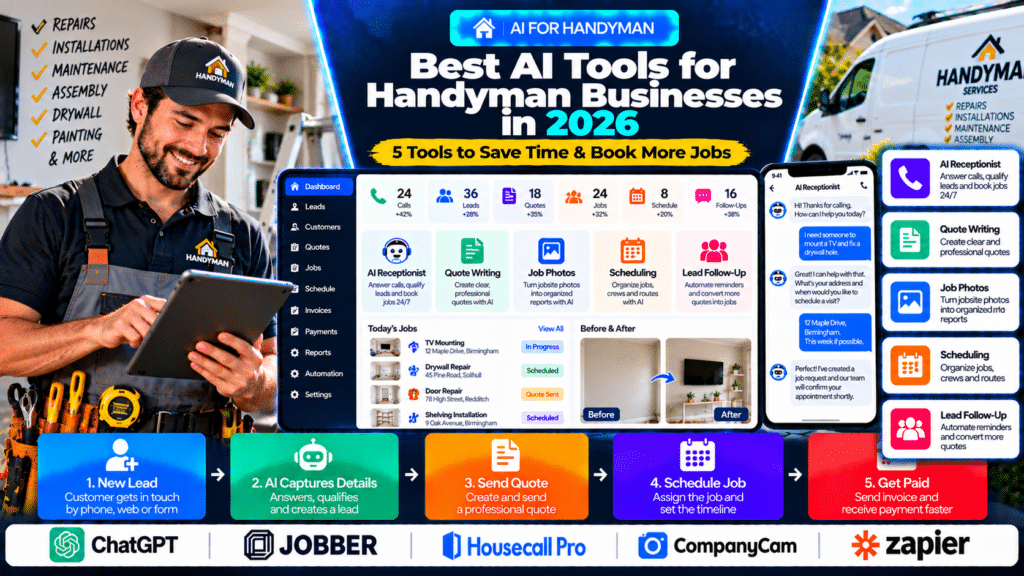
In this guide, we compare five AI-powered tools handyman businesses may want to evaluate in 2026:
- ChatGPT;
- Jobber AI;
- Housecall Pro AI Team;
- CompanyCam AI;
- Zapier.
Quick Comparison of the Best AI Tools for Handyman Businesses
| Tool | Best For | Main AI Use |
|---|---|---|
| ChatGPT | General business productivity | Writing, planning, quotes and customer communication |
| Jobber AI | Small handyman businesses | Quotes, scheduling, invoicing and field-service automation |
| Housecall Pro AI Team | Home-service businesses | Customer service, analytics and marketing |
| CompanyCam AI | Jobsite documentation | Photos, summaries, reports and checklists |
| Zapier | Connecting multiple apps | Lead capture, follow-up and workflow automation |
How Can Handyman Businesses Use AI?
AI can help with many tasks outside the actual repair.
Useful applications include:
- answering routine enquiries;
- drafting quote descriptions;
- writing customer messages;
- summarizing job notes;
- creating checklists;
- organizing jobsite photos;
- automating follow-ups;
- creating review requests;
- preparing marketing content;
- connecting website forms with CRM or scheduling systems.
The most useful AI usually solves a very specific problem.
For example:
Customer Enquiry → AI Captures Details → Quote → Booking → Job → Payment
That kind of workflow can save real time.
AI Should Support Handymen, Not Replace Professional Judgment
AI can help with:
- communication;
- admin;
- planning;
- marketing;
- documentation.
It should not independently make final decisions about:
- electrical work;
- gas-related work;
- structural repairs;
- load-bearing elements;
- building-code compliance;
- safety-critical installations.
A handyman should still use qualified professionals where specialist work is required.
1. ChatGPT
ChatGPT is a general-purpose AI assistant that small businesses can use for writing, planning, research, analysis and day-to-day operations.
OpenAI currently positions ChatGPT for small businesses as a platform that can help teams manage customers, create marketing materials and handle operational work (source: OpenAI).
Why ChatGPT Is Useful for Handymen
The main advantage is flexibility.
A handyman can use ChatGPT for many different business tasks without needing a separate AI tool for each one.
Draft Quote Descriptions
A handyman might enter:
Repair damaged plaster, mount 2 shelves, adjust kitchen door, replace bathroom sealant.
AI can turn that into a cleaner customer-facing scope.
For example:
Repair minor damaged plaster, install two customer-supplied wall shelves, adjust the kitchen cabinet door for correct alignment, and remove and replace deteriorated bathroom sealant.
The handyman should still verify:
- materials;
- measurements;
- labour;
- exclusions;
- pricing.
Write Customer Messages
For example:
Rewrite this professionally: I can come Thursday afternoon. Please send pictures of the wall and shelf before I arrive.
ChatGPT can turn rough notes into a clearer message.
Create Work Checklists
AI can help draft checklists for:
- property maintenance visits;
- move-in repairs;
- rental turnaround work;
- punch-list jobs;
- final inspections.
Create Marketing Content
ChatGPT can also help write:
- Google Business Profile posts;
- local service-page content;
- Facebook posts;
- FAQs;
- email campaigns.
For example:
Write a Google Business Profile post promoting small home repairs and maintenance.
Build Standard Operating Procedures
A handyman business can use AI to draft simple processes for:
- handling new leads;
- quoting;
- rescheduling;
- collecting payment;
- requesting reviews.
OpenAI’s 2026 small-business resources also emphasize identifying repeatable business workflows where ChatGPT can save time and help turn information into finished work (source: OpenAI Academy).
Best For
ChatGPT may be useful for:
- solo handymen;
- small repair businesses;
- office staff;
- customer communication;
- marketing;
- admin.
Possible Limitation
ChatGPT is not dedicated handyman management software.
It does not replace a core platform for:
- scheduling;
- quoting;
- invoicing;
- payments;
- customer records.
2. Jobber AI
Jobber is particularly relevant to handyman businesses because it already supports the core field-service workflow.
Jobber’s 2026 handyman-app guide identifies it as an all-in-one option for:
- quoting;
- scheduling;
- invoicing;
- payments;
- customer communication (source: Jobber).
Jobber also has AI built directly into its platform.
Jobber AI Voice and Chat
Jobber AI currently works across Jobber.com and the mobile app.
Its voice functionality can help users perform hands-free tasks such as:
- creating quotes;
- sending invoices;
- checking schedules;
- capturing field details (source: Jobber Help Center).
Why This Matters for Handymen
A handyman may spend most of the day:
- carrying tools;
- driving;
- working inside homes;
- moving between small jobs.
Stopping to type detailed information after every visit can be inconvenient.
Voice-based capture can reduce that admin.
Example
After a site visit, a handyman could record:
Customer needs TV mounted, two curtain rails installed, door handle replaced, and loose stair rail repaired.
That information can then be turned into a more organized quote or job record.
AI Built for Field-Service Work
Jobber currently describes its AI as built specifically for blue-collar service businesses.
Its AI can help with things such as:
- pricing support;
- quote drafting;
- identifying upsell opportunities;
- adapting to how the business quotes and schedules work (source: Jobber).
Core Handyman Workflow
A handyman business can use Jobber around:
Lead
↓
Quote
↓
Schedule
↓
Complete Job
↓
Invoice
↓
Payment
Best For
Jobber AI may suit:
- solo handymen;
- small teams;
- property-maintenance businesses;
- general repair services;
- growing handyman companies.
Possible Limitation
A very small operator with only occasional jobs may not need a full field-service platform.
3. Housecall Pro AI Team
Housecall Pro offers an AI Team inside its home-service platform.
The AI Team includes specialized assistants for areas such as:
- customer service;
- analytics;
- marketing;
- coaching;
- general help.
Why Housecall Pro Can Help Handyman Businesses
Handyman companies often receive simple but repetitive enquiries.
For example:
- Can you mount a TV?
- Can you repair a door?
- Do you assemble furniture?
- Do you work weekends?
- Can you fix drywall?
- Do you provide small plumbing repairs?
AI can help answer routine questions and collect customer details.
AI Customer Service
For a handyman who is constantly on-site, AI-assisted customer service can reduce the number of leads that go unanswered.
A workflow might look like:
Customer Calls
↓
AI Answers
↓
Service Need Identified
↓
Customer Details Collected
↓
Booking or Follow-Up Created
Analytics
AI can also help owners understand business activity.
For example:
- number of jobs completed;
- average job value;
- repeat customers;
- revenue trends.
Marketing
A handyman business could also use AI to help create campaigns around:
- property maintenance;
- rental repairs;
- seasonal home maintenance;
- furniture assembly;
- wall mounting.
Best For
Housecall Pro may suit:
- home-service handymen;
- businesses receiving frequent inbound calls;
- teams already using the platform.
Possible Limitation
Businesses should compare the actual plan features with their needs before subscribing, especially if they only require a simple scheduling and invoicing tool.
4. CompanyCam AI
CompanyCam is particularly useful for handyman businesses that rely heavily on jobsite photos.
A handyman may work on many unrelated tasks in the same day.
Photos can help document:
- existing damage;
- repair areas;
- measurements;
- completed work;
- customer requests.
CompanyCam’s AI features can turn photos, voice notes and project activity into more organized documentation.
AI Photo Documentation
Imagine a handyman takes photos of:
- damaged drywall;
- broken fence panel;
- loose door hinge;
- cracked sealant.
Instead of trying to remember everything later, the photos can remain linked to the correct project.
AI Reports
CompanyCam can help turn jobsite information into reports.
That can be useful for:
- landlords;
- property managers;
- maintenance contracts;
- rental-property repairs.
AI Captions
Instead of typing:
Crack above bedroom window before repair.
the handyman can capture the information more quickly with voice and attach useful context to the image.
AI Checklists
CompanyCam can also help turn observations into action items.
For example:
- fill wall crack;
- repaint repaired area;
- replace damaged hinge;
- reseal bath edge;
- tighten stair handrail.
Progress Documentation
For larger maintenance jobs, photo summaries can help show the customer:
Before
↓
Repair
↓
After
This is especially useful when the property owner is not on-site.
Best For
CompanyCam AI may suit:
- handyman businesses using lots of photos;
- property-maintenance companies;
- landlords’ maintenance contractors;
- multi-worker repair teams.
Possible Limitation
CompanyCam is mainly a documentation platform.
It does not replace:
- CRM;
- invoicing;
- scheduling;
- payment software.
5. Zapier
Zapier is useful when a handyman business already uses several different applications.
It connects systems and automates repetitive tasks between them.
Example Handyman Tech Stack
A small business might use:
- website forms;
- Gmail;
- Google Calendar;
- Google Sheets;
- Jobber;
- QuickBooks;
- WhatsApp or another messaging platform.
Without automation, the same lead may need to be entered several times.
Zapier can help connect the process.
Example Lead Workflow
A customer submits:
Need three shelves installed and a door repaired.
↓
Lead is added to CRM.
↓
Owner receives notification.
↓
Customer receives confirmation.
↓
Site visit task is created.
↓
Follow-up reminder is scheduled.
AI-Powered Customer Messages
Zapier has documented a construction and contracting company that uses Zapier with OpenAI to interpret customer messages and automate appointment booking.
In that specific case, Contractor Appointments built workflows that parse customer texts, check availability and automatically schedule appointments (source: Zapier).
The reported results belong to that specific company and should not be assumed to represent typical results for every handyman business.
Long-Term Follow-Up
A customer may say:
Contact me again next month after I move into the property.
Automation can create that future follow-up automatically.
That is useful for:
- renovations;
- rental turnovers;
- move-in work;
- larger repair lists.
Best For
Zapier may suit:
- businesses using multiple apps;
- handymen with repetitive admin;
- companies wanting custom automations;
- larger property-maintenance operations.
Possible Limitation
Poorly designed automations can cause:
- duplicate leads;
- incorrect messages;
- missed tasks;
- unnecessary notifications.
Start simple.
Which AI Tool Is Best for Handyman Businesses?
The right tool depends on the problem you want to solve.
Choose ChatGPT When
You want help with:
- writing;
- quote descriptions;
- customer messages;
- checklists;
- marketing;
- planning.
Choose Jobber AI When
You want AI connected to:
- quotes;
- schedules;
- customers;
- invoices;
- field work.
Choose Housecall Pro AI Team When
You want help with:
- customer enquiries;
- marketing;
- analytics;
- service-business operations.
Choose CompanyCam AI When
You want better:
- job photos;
- before-and-after documentation;
- reports;
- field notes.
Choose Zapier When
You want to connect several existing tools and automate repetitive workflows.
Best AI Tools for Solo Handymen
A solo handyman usually has one major problem:
limited time.
One person may handle:
- repairs;
- phone calls;
- quotes;
- invoices;
- scheduling;
- marketing.
That means simple automation can create a lot of value.
A practical setup could be:
ChatGPT + Jobber + Basic Automation
This can cover:
- writing;
- quoting;
- scheduling;
- invoicing;
- customer communication.
AI Receptionists for Handyman Businesses
Handymen may miss calls while:
- drilling;
- assembling furniture;
- repairing doors;
- driving;
- talking to customers.
An AI receptionist can help capture:
- customer name;
- contact details;
- job type;
- property location;
- preferred appointment time.
The goal is not to replace every conversation.
It is to prevent good leads from disappearing into voicemail.
AI for Handyman Quotes
AI can help organize small-job estimates.
For example:
Raw Notes
fix door, hang mirror, patch wall, replace bath sealant.
could become:
Adjust and repair the internal door, securely install one customer-supplied wall mirror, repair minor wall damage, and remove and replace deteriorated bathroom sealant.
The handyman should still confirm:
- site conditions;
- materials;
- quantities;
- price.
AI for Multi-Task Jobs
One of the biggest differences between handyman work and specialist trades is that one visit may involve several unrelated tasks.
For example:
Customer Repair List
- mount TV;
- replace door handle;
- repair drywall;
- hang shelves;
- reseal bath.
AI can help organize those items into:
- tasks;
- materials;
- customer-facing scope;
- internal checklist.
AI for Property Maintenance Businesses
Property-maintenance businesses may manage:
- rental repairs;
- landlord jobs;
- recurring inspections;
- commercial maintenance;
- move-out repair lists.
AI can help summarize work and organize documentation.
For example:
Rental Property Visit
↓
Photos Captured
↓
AI Creates Repair Summary
↓
Owner Receives Report
↓
Approved Repairs Scheduled
CompanyCam can be particularly useful for this kind of photo-heavy workflow.
AI for Landlord Repair Reports
A handyman working for landlords may need to document:
- what was damaged;
- what was repaired;
- what still needs attention.
AI can help structure this into a report.
For example:
Completed
- tightened loose kitchen cabinet hinges;
- repaired damaged wall section;
- replaced bathroom sealant.
Further Work Recommended
- replace damaged exterior gate latch;
- inspect persistent damp mark near bedroom window.
The handyman should verify everything before sending the report.
AI for Customer Follow-Up
Many small handyman jobs are lost because customers never reply after receiving a quote.
A useful workflow could be:
Quote Sent
↓
Wait 2 Days
↓
Send Follow-Up
↓
No Response
↓
Create Reminder
This is simple automation with a clear business purpose.
AI for Review Requests
Local reviews can be especially important for handyman businesses.
A workflow might look like:
Job Completed
↓
Invoice Paid
↓
Review Request Sent
This creates a consistent process instead of relying on memory.
AI for Handyman Marketing
AI can help create content around services such as:
- furniture assembly;
- TV mounting;
- drywall repair;
- door repairs;
- shelving;
- property maintenance;
- rental repairs.
For example:
Write a Google Business Profile post promoting property-maintenance services for landlords.
The final version should use the business’s real:
- service area;
- offer;
- contact details.
AI for Job Notes
A handyman might write:
fixed wardrobe door, shelf bracket loose, customer wants quote for fence.
AI can organize that into:
Completed Work
- adjusted wardrobe door;
- secured loose shelf bracket.
Follow-Up
- prepare separate estimate for fence repair.
This reduces the amount of manual rewriting after each visit.
AI for Scheduling
Handyman work often involves several short jobs each day.
Efficient scheduling matters because excessive travel can reduce profitability.
Jobber’s handyman tools are designed around:
- scheduling;
- quoting;
- payments;
- customer communication (source: Jobber).
AI and automation can support the office workflow around those appointments.
AI for Repeat Customers
Handyman businesses often grow through repeat customers.
For example:
- landlords;
- estate agents;
- homeowners;
- property managers.
Automation can help maintain relationships through:
- reminders;
- follow-ups;
- seasonal maintenance messages.
What Should Handyman Businesses Not Fully Automate?
Some tasks still require human judgment.
These include:
- safety-critical repairs;
- electrical decisions;
- structural issues;
- gas-related work;
- specialist plumbing;
- final pricing;
- customer disputes.
AI should help with the business process.
It should not be used to bypass professional qualifications.
How to Choose AI Tools for a Handyman Business
Step 1: Identify the Biggest Time-Waster
Ask:
- Are calls being missed?
- Do quotes take too long?
- Are photos disorganized?
- Are customers not being followed up?
- Is scheduling inefficient?
Step 2: Pick One Workflow
Start with something simple.
For example:
New Enquiry → AI Organizes Details → Quote
Step 3: Test With a Real Job
Use a real example such as:
Door Repair + Shelves + Drywall Patch
Check whether the system helps you:
- capture the lead;
- organize the scope;
- create the quote;
- schedule the work;
- document the repair;
- invoice the customer.
Step 4: Keep Human Approval
Always review:
- quotes;
- customer-facing messages;
- technical recommendations;
- safety-related information.
Step 5: Review Privacy
Customer information may include:
- home addresses;
- photos;
- job details;
- contact information.
OpenAI states that ChatGPT Business customers control their business data and that business workspace data is not used to train models by default (source: OpenAI).
Step 6: Measure Results
Track:
- response time;
- quotes sent;
- jobs booked;
- admin hours;
- missed calls;
- follow-up rate.
If the AI does not improve a real business metric, rethink the workflow.
Common AI Mistakes Handyman Businesses Should Avoid
Using AI Without a Specific Goal
Start with a real problem.
Letting AI Guess Technical Details
AI should not invent job scope, measurements or safety information.
Using AI for Work Outside Your Qualifications
A handyman still needs the correct professional qualifications where required.
Automating Every Customer Interaction
Some customers need a direct human conversation.
Using Too Many Apps
A complicated system may create more admin.
Never Reviewing AI Output
Important customer-facing information should always be checked.
AI for Pest Control Businesses
Pest control runs on recurring service plans, accurate treatment records and commercial contracts. These are the tools and uses that matter most.
PestPac with WAIve Data Intelligence
PestPac by WorkWave is a platform designed specifically for pest-control businesses.
WorkWave also offers WAIve Data Intelligence, which brings AI automation and analytics into its software ecosystem.
WorkWave currently describes WAIve as providing AI automation and data intelligence for PestPac users (source: WorkWave).
Why This Is Different
ChatGPT and general AI tools help with broad business tasks.
PestPac is built around actual pest-control operations.
That makes it more relevant for companies that want intelligence closer to their core operational data.
Pest-Specific Business Data
Pest-control businesses generate significant operational information around:
- customers;
- routes;
- recurring treatments;
- revenue;
- technicians;
- payments;
- service history.
WAIve Data Intelligence is designed to help businesses analyze and act on this information (source: WorkWave).
Analytics
WorkWave describes the platform as providing:
- data analytics;
- intelligent reporting;
- AI automation;
- actionable operational insights (source: WorkWave).
This becomes particularly useful as the business becomes larger and simple spreadsheets are no longer enough.
Operational Efficiency
WorkWave’s broader PestPac platform connects people, processes and operational data inside pest-control software built for the industry (source: WorkWave).
Door-to-Door Sales
PestPac also expanded its field-sales capabilities in 2026 with an integrated door-to-door sales engine.
WorkWave says the workflow lets sales representatives identify, quote, sign and schedule customers in one connected process (source: WorkWave).
That can be relevant to pest-control companies that rely heavily on neighborhood or seasonal direct sales.
Best For
PestPac with WAIve may suit:
- established pest-control businesses;
- multi-location companies;
- larger pest-control teams;
- businesses wanting pest-specific analytics.
Possible Limitation
Smaller operators may find an industry-heavy platform more complex than necessary.
AI for Pest-Control Lead Qualification
Not every enquiry requires the same response.
A lead may be:
Residential One-Time Treatment
or
Commercial Recurring Contract
or
Urgent Inspection
AI can help classify the enquiry so the correct workflow begins faster.
AI for Recurring Pest-Control Services
Recurring revenue is important to many pest-control businesses.
A workflow might look like:
Initial Treatment
↓
Recurring Plan Activated
↓
Future Visit Scheduled
↓
Customer Reminder
↓
Technician Visit
↓
Payment
FieldRoutes’ 2026 industry reporting emphasizes how tighter operational systems around scheduling, routing, communication and retention are increasingly separating operators (source: FieldRoutes).
AI for Technician Notes
A technician may write:
bait activity high kitchen, entry behind dishwasher, sealed gap, follow up 14 days.
AI could organize that into:
Service Findings
- significant bait activity observed in the kitchen;
- likely entry point identified behind the dishwasher.
Work Completed
- accessible gap sealed;
- treatment updated.
Next Step
- follow-up recommended in 14 days.
The technician should review the result before saving it.
AI for Commercial Pest-Control Businesses
Commercial pest control may involve:
- restaurants;
- warehouses;
- offices;
- healthcare sites;
- hospitality.
These businesses may need stronger:
- documentation;
- recurring scheduling;
- reporting;
- account management.
Pest-specific platforms such as PestPac and FieldRoutes become increasingly relevant as operational complexity grows (source: WorkWave).
What Should Pest-Control Businesses Not Fully Automate?
Some tasks should remain human-led.
These include:
- pesticide selection;
- chemical concentration;
- safety advice;
- environmental compliance;
- regulatory documentation;
- difficult complaints;
- unusual infestations;
- final treatment decisions.
AI should support qualified professionals, not replace them.
AI for Solar Installers
Solar sales depend on fast, accurate designs and long follow-up cycles. Here AI helps most with modelling and proposals.
Aurora AI
Aurora Solar is one of the most solar-specific tools in this comparison.
Its Aurora AI functionality can automatically generate roof geometry from high-definition satellite imagery and LiDAR data.
Aurora says its AI can detect and generate:
- roof faces;
- obstructions;
- trees
without requiring the user to manually draw everything (source: Aurora Solar Help Center).
Why Aurora AI Is Useful for Solar Installers
Roof modeling can take time.
Before AI-assisted modeling, a designer may need to manually trace roof sections, add obstructions and build the site model.
Aurora AI can automate much of that initial work.
AI SmartRoof
Aurora AI’s SmartRoof functionality can create a roof model automatically.
The system uses available:
- LiDAR;
- high-definition imagery
to generate the geometry.
Aurora states that roof models can be generated in under 15 seconds when suitable imagery is available (source: Aurora Solar Help Center).
Automatic Tree Detection
Trees can significantly affect solar design because of shading.
Aurora AI can detect trees during site modeling, helping designers account for nearby vegetation.
Aurora also highlighted AI tree detection as part of its 2026 design roadmap (source: Aurora Solar).
Obstruction Detection
The AI can also identify roof obstructions.
Examples may include:
- vents;
- chimneys;
- skylights.
The designer should still review the generated site model before relying on it.
Solar Panel Layout
Once the site model is created, Aurora’s Sales Mode can place panels while accounting for configured:
- setbacks;
- obstructions;
- module orientation.
Its system can automatically fit modules into available roof areas and update the design in real time (source: Aurora Solar Help Center).
Sales Mode
Aurora’s Sales Mode is designed to take a project from solar design into the customer-sales process.
The workflow can include:
- customer information;
- energy usage;
- system design;
- shading;
- battery storage;
- pricing;
- financing;
- environmental impact;
- proposal delivery;
- e-signatures (source: Aurora Solar Help Center).
Example Workflow
Customer Address
↓
Aurora AI Builds Roof Model
↓
Designer Reviews Roof
↓
Panels Added
↓
Production Simulation
↓
Pricing & Battery Options
↓
Customer Proposal
That is a very different use of AI from a general-purpose writing assistant.
Important Limitation
Aurora AI currently depends on suitable imagery and LiDAR availability.
If the necessary data is not available for a property, manual roof modeling may still be required (source: Aurora Solar Help Center).
Aurora also identifies Aurora AI as an add-on in certain plan configurations, so businesses should verify current access and pricing.
Best For
Aurora AI may suit:
- residential solar companies;
- solar designers;
- sales teams;
- companies producing many residential proposals;
- businesses wanting faster roof modeling.
AI for Solar Proposals
A solar proposal may include:
- panel count;
- system size;
- expected generation;
- battery option;
- price;
- finance options;
- environmental impact.
AI can help present that information more clearly.
Aurora’s Sales Mode combines design, pricing, storage, financing and proposal workflows in one sales experience (source: Aurora Solar Help Center).
ChatGPT can then help simplify technical explanations.
The actual numbers should always come from verified project data.
AI for Battery Sales
Battery storage is becoming increasingly important to solar sales.
Solar businesses can use AI to help explain:
- self-consumption;
- backup power;
- load shifting;
- battery capacity;
- solar-plus-storage workflows.
Aurora’s current Sales Mode includes dedicated battery-storage presentation functionality (source: Aurora Solar Help Center).
AI for Solar Site-Survey Notes
A site survey may include details such as:
south-facing rear roof, small chimney, inverter garage, battery utility room, CU upgrade possible.
AI can turn those rough notes into a structured summary.
For example:
Roof
- rear elevation;
- predominantly south-facing;
- chimney obstruction present.
Equipment Locations
- inverter proposed in garage;
- battery location considered in utility area.
Electrical
- consumer-unit upgrade may require further assessment.
The solar professional should verify all details.
AI for Solar Customer FAQs
Useful topics include:
- How many panels do I need?
- Do solar panels work in cloudy weather?
- Can I add a battery?
- How long does installation take?
- Will I need a new inverter?
- What happens during a power cut?
AI can help draft answers.
Technical, financial and regulatory claims should be verified.
What Should Solar Companies Not Fully Automate?
Some tasks should remain human-led.
These include:
- structural approval;
- electrical design;
- production guarantees;
- permitting decisions;
- grid-connection requirements;
- final financing representations;
- safety decisions;
- final system approval.
AI should help professionals work faster, not replace professional accountability.
AI for Moving Companies
Moving companies win or lose jobs on how quickly and accurately they can estimate. Most of the useful AI here is about inventories and estimates.
SmartMoving TOB-E and Smart Scout
SmartMoving is a moving-company CRM and operations platform built specifically for movers.
In 2026, SmartMoving introduced TOB-E, an AI operations assistant that works directly with SmartMoving data. (smartmoving.com)
Why SmartMoving AI Is Different
TOB-E is not a generic chatbot.
It works with the moving company’s own operational information.
That means it can help answer questions such as:
- How many jobs are scheduled today?
- Are crew confirmations missing?
- Which leads need follow-up?
- Are there unpublished jobs?
- How is revenue tracking?
SmartMoving says TOB-E can surface issues, answer questions in plain English, and support actions after the user approves them. (smartmoving.com)
Smart Scout
SmartMoving also offers Smart Scout, a 24/7 AI sales assistant for moving companies.
Smart Scout can:
- answer inbound calls;
- identify new or existing customers;
- create leads and opportunities;
- generate estimates using company pricing settings;
- log transcripts and follow-up tasks. (smartmoving.com)
Why This Matters
Moving leads often come:
- evenings;
- weekends;
- during peak moving periods.
If nobody answers, the customer may contact another mover.
Smart Scout is designed to keep those leads inside the sales process.
AI Inventory with LiveSwitch
SmartMoving also supports LiveSwitch AI Inventory.
Customers can provide photos or video of their home, and LiveSwitch’s Sparky AI can identify items room by room and import the inventory into the SmartMoving opportunity. (help.smartmoving.com)
This can reduce manual inventory entry before estimating.
Best For
SmartMoving AI may suit:
- local moving companies;
- multi-crew movers;
- residential movers;
- companies wanting moving-specific AI inside their core CRM.
Possible Limitation
The value is strongest for companies already using SmartMoving.
Supermove AI
Supermove has made AI a major part of its moving-company platform.
Its 2026 AI Call Center includes:
- AI Voice Agents;
- AI Sales Copilot;
- AI Auto Dialer. (supermove.com)
Why Supermove AI Is Useful for Movers
Moving companies are heavily dependent on phone leads.
A customer may call several movers in a short period of time.
Fast response matters.
Supermove’s AI Call Center is designed to help movers answer and follow up more consistently.
AI for Moving Inventories
Inventory creation is one of the most interesting moving-specific AI applications.
LiveSwitch AI Inventory can analyze photos and videos from a customer and generate a room-by-room moving inventory inside SmartMoving. (help.smartmoving.com)
This can help reduce manual inventory entry.
However, staff should still review:
- item quantities;
- volume;
- special items;
- stairs;
- access;
- packing requirements.
AI for Moving Estimates
AI can help with the administrative side of estimates.
For example, it can organize:
- inventory;
- property details;
- access;
- move distance;
- packing needs.
Smart Scout can also generate estimates during calls using the moving company’s pricing configuration. (smartmoving.com)
Final pricing should still be reviewed according to company policy.
AI for Storage and Moving Companies
Some movers also operate storage.
SmartMoving connects storage, billing, jobs, dispatch, and customer records in one moving-specific platform. (smartmoving.com)
AI can help surface information across these connected workflows.
What Should Moving Companies Not Fully Automate?
Some tasks should remain human-led.
These include:
- final pricing approvals;
- claims handling;
- damage disputes;
- safety decisions;
- truck-loading strategy;
- complex logistics;
- contract interpretation.
AI should support the team, not remove accountability.
AI for Locksmith Businesses
Locksmiths take many urgent calls, often after hours, and need to verify who they are helping. AI is useful here only with clear safety rules.
AI for Emergency Locksmith Calls
Emergency calls are one of the clearest AI use cases in locksmithing.
A customer may be:
- locked outside;
- stranded beside a vehicle;
- dealing with a broken key;
- unable to secure a property.
A useful workflow is:
Incoming Call
↓
AI Captures Details
↓
Urgency Identified
↓
Technician Assigned
↓
ETA Sent
↓
Human Locksmith Completes Job
Workiz explicitly positions Genius AI Answering around answering emergency locksmith calls and dispatching 24/7 (source: Workiz).
Compliance Checklists
Locksmith businesses need strong records because access disputes can become serious.
Workiz’s locksmith tools include customizable checklists designed to help document compliance and job steps (source: Workiz).
Best For
Workiz Genius AI may suit:
- emergency locksmiths;
- multi-technician companies;
- 24/7 locksmith businesses;
- automotive locksmiths;
- growing teams.
Possible Limitation
A solo locksmith with low call volume may not need the full platform.
AI for Locksmith Customer Safety
Customers calling a locksmith are often in stressful situations.
Clear communication matters.
Automated messages can help provide:
- technician name;
- ETA;
- live location;
- next steps.
Workiz currently supports “On My Way” tracking with technician profile and ETA information (source: Workiz).
AI for Rekey and Replacement Upsells
Some emergency jobs can lead to additional work.
For example:
Lockout
↓
Customer gains access.
↓
Existing lock found to be worn.
↓
Replacement or rekey option offered.
Workiz supports Good / Better / Best proposals for locksmith businesses, including upsell opportunities beyond the initial callout (source: Workiz).
AI for Automotive Locksmiths
Automotive locksmith jobs may involve:
- lockouts;
- lost keys;
- broken keys;
- replacement keys;
- programming.
AI can help capture basic job information such as:
- vehicle make;
- model;
- year;
- location;
- service required.
A qualified automotive locksmith should verify technical compatibility before promising service.
AI for Customer Disputes and Records
Locksmith businesses sometimes face disputes around:
- service callouts;
- payment;
- authorization;
- entry.
Workiz’s locksmith platform stores calls, messages, signatures and location data that can be useful for documenting service interactions (source: Workiz).
AI can help organize records, but legal issues should receive appropriate human review.
What Should Locksmith Businesses Not Fully Automate?
Some tasks should remain human-led.
These include:
- proof-of-ownership verification;
- access authorization;
- forced entry;
- bypass techniques;
- safe opening;
- vehicle immobilizer procedures;
- security recommendations;
- disputes;
- final pricing approval.
AI should support the locksmith.
It should not replace professional or legal judgment.
AI for Garage Door Companies
Garage door work mixes emergency repairs with higher-value new door sales. AI helps with both the urgent calls and the longer quotes.
AI for Emergency Garage Door Calls
Emergency repairs are one of the strongest AI use cases.
Customers may call because:
- a spring snapped;
- the door is stuck;
- the door came off track;
- the opener stopped working.
A useful workflow is:
Emergency Call
↓
AI Captures Details
↓
Job Created
↓
Technician Dispatched
↓
ETA Sent
↓
Repair Completed
Workiz’s AI Answering is particularly relevant because it can answer calls and add jobs directly to the schedule (source: Workiz Help).
AI for Garage Door Quotes
AI can help structure estimate descriptions.
For example:
Raw Notes
double door, 2 broken springs, cables worn, recommend rollers.
could become:
Replace both broken torsion springs on the double garage door, replace worn lift cables, rebalance and test the door, and provide an optional recommendation for replacement rollers.
The technician should still verify:
- hardware specifications;
- labour;
- material cost;
- final price.
AI for New Garage Door Sales
New door installations usually involve a larger sales process than repairs.
A workflow may include:
Lead
↓
Site Visit
↓
Measure Opening
↓
Choose Door
↓
Send Quote
↓
Follow-Up
↓
Install
AI can help with:
- proposal wording;
- follow-up;
- customer communication.
It should not guess measurements or structural requirements.
AI for Garage Door Inventory
Garage-door businesses may stock:
- springs;
- cables;
- rollers;
- hinges;
- remotes;
- sensors;
- openers.
Inventory becomes more important as the company grows.
Workiz’s 2026 garage-door guidance specifically identifies inventory complexity as a major scaling challenge for larger teams (source: Workiz).
AI for Commercial Garage Door Businesses
Commercial garage-door companies may handle:
- warehouses;
- loading bays;
- rolling doors;
- sectional doors;
- maintenance contracts.
These businesses may need stronger:
- scheduling;
- customer records;
- service histories;
- recurring maintenance;
- reporting.
Automation becomes increasingly useful as job volume grows.
What Should Garage Door Businesses Not Fully Automate?
Some tasks should remain human-led.
These include:
- spring selection;
- tensioning;
- repair diagnosis;
- structural installation;
- safety testing;
- electrical work;
- final pricing approval;
- unusual customer disputes.
AI should assist the technician, not replace professional judgment.
AI for Appliance Repair Businesses
Appliance repair often needs two visits: one to diagnose and one to fit the part. AI is most useful for parts tracking and keeping customers updated in between.
Parts and Back-Order Management
Appliance repair frequently requires two visits:
Diagnosis
↓
Order Part
↓
Return to Install
Workiz’s appliance-repair platform includes order management for tracking backordered parts, purchase orders, and delivery information against the job (source: Workiz).
This is especially useful because repair companies can lose track of open jobs while waiting for parts.
AI for Appliance Make, Model and Serial Numbers
One of the most important parts of appliance repair is identifying the exact appliance.
Useful information includes:
- brand;
- model;
- serial number;
- age;
- previous repairs.
AI can help extract this information from:
- customer forms;
- messages;
- technician notes.
However, the technician should verify the actual model plate before ordering parts.
AI for Parts Ordering Workflows
Parts are one of the biggest operational challenges in appliance repair.
A repair may require:
- diagnosis;
- part identification;
- order;
- waiting period;
- return visit.
Workiz’s appliance-repair software includes job-linked purchase-order and back-order tracking (source: Workiz).
Automation can then help notify:
- office staff;
- technicians;
- customers
when the part status changes.
AI for Two-Visit Repairs
Many appliance repairs are not completed during the first visit.
A good workflow is:
Diagnostic Visit
↓
Part Required
↓
Job Stays Open
↓
Part Arrives
↓
Return Visit Scheduled
↓
Repair Completed
AI and automation are useful here because jobs waiting on parts are easy to forget when tracked manually.
AI for Warranty Repair Businesses
Some appliance companies also handle:
- manufacturer warranty work;
- extended warranty providers;
- third-party service networks.
These workflows can involve:
- authorization numbers;
- separate labour rates;
- claim documentation;
- proof of service.
General AI can help with documentation, but companies should ensure their primary service software can handle the actual warranty workflow.
What Should Appliance Repair Companies Not Fully Automate?
Some tasks should remain human-led.
These include:
- technical diagnosis;
- live electrical testing;
- gas appliance work;
- refrigerant work;
- safety decisions;
- component compatibility;
- final repair approval;
- pricing exceptions.
AI should support technicians, not replace them.
AI for Pool Service Businesses
Pool service is built on weekly routes, water chemistry readings and seasonal demand. Pool-specific software handles these better than general tools.
Skimmer AI
Skimmer is one of the most interesting AI platforms for pool professionals in 2026 because its AI operates directly inside a pool-service management system.
Its current AI capabilities include:
- AI Phone;
- AI Insights.
Skimmer has also publicly discussed expanding its AI capabilities as part of its 2026 roadmap (source: Skimmer).
Skimmer AI Phone
Skimmer launched AI Phone in April 2026.
The feature can handle routine inbound calls using:
- customer information;
- a configurable business knowledge base.
Skimmer says the system can respond around the clock without requiring staff to answer every routine enquiry (source: Skimmer).
What Can AI Phone Handle?
Typical pool-service calls may include:
- When is my next visit?
- Was my pool serviced?
- What is my balance?
- Can someone call me about a repair?
- Do you service my area?
Instead of every call interrupting the office or technician, AI can handle more predictable questions.
Why This Matters for Pool Professionals
Pool technicians are often:
- driving;
- testing water;
- cleaning pools;
- servicing equipment.
They cannot always answer the phone immediately.
An AI phone system can help reduce missed calls.
Chemistry and Equipment Reading Exceptions
One particularly useful feature is the ability to ask about abnormal pool readings.
An owner could ask AI Insights to identify readings that are outside expected ranges and get an explanation.
This may help managers identify:
- chemistry issues;
- equipment problems;
- pools requiring follow-up.
The technician should still review the pool before making unusual treatment decisions.
Pool Brain AI
Pool Brain is another platform built specifically for swimming-pool service companies.
Its AI capabilities are particularly interesting because they extend into pool chemistry, not just administration.
In January 2026, Pool Brain released an AI-powered chlorine-tab dosing feature in beta (source: PoolBrain).
AI Chlorine Tab Dosing
Pool Brain says its AI dosing system considers data such as:
- weather;
- water chemistry;
- service schedule;
- pool location
to recommend chlorine-tab dosing (source: PoolBrain).
This is very different from generic AI.
It is trying to solve a specific field problem:
How much chlorine should this particular pool receive during this visit?
Why This Can Matter
Technicians may service pools with very different:
- sizes;
- sunlight exposure;
- usage;
- weather;
- chemical demand.
A standardized “add the same amount everywhere” approach may be inefficient.
A data-driven recommendation may help technicians make more consistent decisions.
Important Limitation
Pool Brain explicitly labels the feature as beta.
That matters.
Chemical dosing affects:
- customer safety;
- pool surfaces;
- equipment;
- service quality.
AI dosing recommendations should therefore be treated as decision support rather than unquestioned instructions.
AI for Pool Chemistry
Pool chemistry is one of the most interesting AI opportunities.
A company may collect thousands of readings for:
- chlorine;
- pH;
- alkalinity;
- stabilizer;
- salt;
- other measurements.
AI can help identify patterns humans may not notice quickly.
Skimmer AI Insights can surface unusual readings and recent pool measurements, while Pool Brain is testing AI-driven chlorine dosing (source: Skimmer).
Technicians should still verify actual pool conditions.
AI for Weekly Pool Routes
Route density matters enormously in pool service.
Driving fifteen minutes between every pool can destroy profitability.
A good route aims to keep technicians working within a compact geographic area.
Skimmer’s 2026 State of Pool Service report found that many pool professionals were prioritizing route density and operational efficiency instead of simply adding more accounts (source: Skimmer).
AI and routing software can help:
- identify inefficient routes;
- group nearby stops;
- reduce travel time.
AI for Chemical Billing
Chemical cost can significantly affect pool-service margins.
Skimmer’s 2026 survey found businesses were using different billing models:
- chemicals included;
- separately itemized;
- hybrid pricing (source: Skimmer).
AI-powered reporting can help owners understand:
- chemical usage;
- cost trends;
- unprofitable accounts.
Skimmer AI Insights specifically supports questions around chemical usage and business profitability (source: Skimmer).
AI for Seasonal Pool Businesses
Pool companies in seasonal markets may deal with large spikes around:
Spring
- openings;
- green pools;
- equipment startup.
Summer
- weekly maintenance;
- repairs;
- high chemical demand.
Autumn
- closings;
- winterization.
AI can help prepare:
- customer reminders;
- campaigns;
- booking workflows.
What Should Pool Companies Not Fully Automate?
Some work should remain human-led.
These areas include:
- unusual chemical problems;
- chemical safety decisions;
- electrical diagnosis;
- gas-heater repairs;
- equipment replacement decisions;
- customer disputes;
- final repair pricing.
AI should support the technician rather than replace expertise.
AI for HVAC Businesses
HVAC demand swings with the weather, and much of the profit sits in maintenance agreements. These are the HVAC-specific uses worth setting up.
HVAC-Specific Automation
Workiz currently markets its HVAC platform around:
- AI answering;
- automation;
- recurring marketing;
- complex multi-day project management (source: Workiz).
This makes it particularly relevant to companies handling both service work and installations.
AI Enquiry Classification
AI can also help classify incoming requests.
For example:
AC completely stopped. House is extremely hot and customer needs service today.
AI could classify the enquiry as:
Urgent Cooling Repair
The workflow can then route it to a more urgent process.
Other HVAC Automation Ideas
Zapier can be useful for:
- review requests;
- maintenance reminders;
- estimate follow-ups;
- form-to-CRM workflows;
- internal notifications;
- customer email sequences.
Best For
Zapier may suit:
- HVAC businesses already using several apps;
- companies wanting customized automation;
- teams with repetitive data-entry work.
Possible Limitation
More complex workflows require careful testing.
Bad automation can create:
- duplicate records;
- incorrect messages;
- missed alerts;
- confusing customer communication.
AI for HVAC Dispatch
HVAC dispatch may need to account for:
- technician location;
- skills;
- certifications;
- job priority;
- equipment type;
- existing schedule.
AI and automation can help support these decisions.
They should not blindly assign every job without appropriate business rules.
AI for Maintenance Agreements
Maintenance agreements can create recurring revenue.
Automation can help manage:
Agreement Due
↓
Customer Reminder
↓
Service Booking
↓
Technician Visit
↓
Next Maintenance Date Scheduled
This reduces the chance that recurring customers are forgotten.
AI for Seasonal Lead Follow-Up
An HVAC business may have past customers who:
- postponed replacements;
- declined maintenance;
- requested a quote months ago.
AI-assisted marketing and automation can help identify and follow up these opportunities at the appropriate season.
What Should HVAC Businesses Not Fully Automate?
AI should not independently handle critical technical decisions such as:
- refrigerant diagnosis;
- combustion safety;
- gas-related emergencies;
- electrical safety issues;
- code compliance;
- equipment commissioning.
Customer complaints and unusual emergencies may also require human judgment.
AI for Painting Contractors
Painting jobs are won on clear estimates and kept on track with photos and crew checklists.
CompanyCam AI
CompanyCam is particularly interesting for painting contractors because it focuses heavily on jobsite documentation.
CompanyCam’s current AI tools can use:
- photos;
- voice notes;
- descriptions;
- project activity
to help create reports, captions, checklists, summaries and other documentation (source: CompanyCam).
Why CompanyCam AI Is Useful for Painters
Painting jobs are highly visual.
Before work begins, a contractor may need to document:
- wall damage;
- peeling paint;
- cracks;
- stains;
- exterior deterioration;
- trim condition;
- areas excluded from the quote.
During the project, photos can document:
- preparation;
- masking;
- repairs;
- priming;
- progress;
- completed work.
CompanyCam is built around organizing that visual information.
CompanyCam and PaintScout
CompanyCam also integrates with PaintScout, a platform built specifically for painting contractor estimates and proposals.
Selected CompanyCam photos can be sent directly into PaintScout estimates, allowing painting contractors to include site photos inside professional proposals (source: CompanyCam Help Center).
This can create a useful workflow:
Site Visit
↓
Take Photos in CompanyCam
↓
Organize Job Documentation
↓
Send Photos to PaintScout
↓
Create Visual Estimate
Best For
CompanyCam AI may be especially useful for:
- painters who document lots of jobs;
- multi-crew painting businesses;
- contractors using photos in proposals;
- exterior painting companies;
- commercial painters.
Possible Limitation
CompanyCam is primarily a documentation and jobsite communication tool.
It does not replace a full CRM, invoicing, or scheduling platform.
AI for Painting Estimates
AI can help prepare clearer estimate descriptions.
For example:
Raw Notes
2 bedrooms, hallway, ceilings, walls and trim, patch cracks, 2 coats.
could become:
Prepare and repaint two bedrooms and the hallway, including ceilings, walls and trim. Repair minor cracks and surface imperfections, prepare surfaces as required and apply two finish coats to specified areas.
The contractor should still confirm:
- measurements;
- condition;
- number of coats;
- product;
- colour;
- labour;
- pricing.
AI for Jobsite Photos
Photos are especially valuable for painting businesses.
They can show:
- existing damage;
- preparation quality;
- work in progress;
- completed results.
CompanyCam AI can turn project photos into captions, reports, summaries and progress recaps (source: CompanyCam).
That can reduce the amount of time spent writing documentation after the job.
AI for Painting Crew Checklists
AI can help draft checklists such as:
Before Painting
- inspect surface;
- protect flooring;
- move or cover furniture;
- remove switch covers;
- patch defects;
- sand repairs.
Before Leaving
- inspect finish;
- remove masking;
- clean work area;
- photograph completed work;
- confirm customer notes.
CompanyCam’s AI checklist tools can also turn actual field observations into actionable lists (source: CompanyCam).
AI for Multi-Crew Painting Businesses
As the business grows, managers may need to know:
- which crew is on which site;
- what work was completed;
- what problems were found;
- what needs to happen next.
AI-powered summaries and project documentation can make this easier.
CompanyCam says its AI tools can turn the information crews already capture—photos, notes and voice input—into reports, checklists and project updates (source: CompanyCam).
What Should Painting Contractors Not Fully Automate?
Some decisions should remain human-led.
These include:
- final estimating;
- colour approval;
- coating specifications;
- surface-failure diagnosis;
- lead-paint decisions;
- safety procedures;
- customer complaints;
- warranty commitments.
AI should support the painter.
It should not replace professional accountability.
AI for Tree Service Businesses
Tree care involves site inspections, safety-critical work and storm call-outs. Specialist software handles tree inventories better than general tools.
ArboStar RAI
ArboStar is built specifically for arborists and tree-care businesses.
Its current platform includes tree inventory, estimating, scheduling, invoicing, field operations and mapping.
ArboStar also promotes Real Arborist Intelligence (RAI) as an AI assistant for the tree-care industry (source: ArboStar).
Why ArboStar Is Different
Unlike general field-service platforms, ArboStar is focused specifically on arboriculture.
That means the workflow starts around actual trees rather than only around generic jobs.
Tree Inventory
ArboStar’s rebuilt Tree Inventory lets companies create a permanent record for each tree.
A tree record can include:
- species;
- condition;
- location;
- photos;
- custom fields;
- service history.
The tree can then connect directly to estimates, work orders and invoices (source: ArboStar Knowledge Base).
Why This Matters
For arborists, the asset itself matters.
A customer may have:
- one oak;
- three conifers;
- two fruit trees;
- one stump.
Each may require different work.
A tree-specific inventory can help keep that information organized.
Tree-to-Estimate Automation
ArboStar’s June 2026 update added tree-to-estimate automation.
When services are assigned to a tree, that tree can automatically be added to the relevant estimate, reducing extra data entry (source: ArboStar Knowledge Base).
Example
Tree 104
Species: Oak
Condition: Fair
Service:
Crown Reduction
↓
Tree is added to estimate.
↓
Work order reflects that specific tree.
↓
Invoice can retain the job context.
That is more specialized than a generic field-service workflow.
Best For
ArboStar may suit:
- dedicated arborist companies;
- larger tree-service teams;
- businesses maintaining detailed tree inventories;
- companies wanting a tree-specific CRM and operations system.
Possible Limitation
Small tree businesses may not need the full complexity of an arborist-specific platform.
AI for Tree Inspections
AI can help organize inspection notes.
For example:
Raw Notes
oak cavity lower trunk, dead limb over drive, fungal body base.
could become:
Observed Conditions
- cavity visible in lower trunk;
- dead limb extending over driveway;
- fungal fruiting body observed near the base.
AI should not independently assign the final risk level.
That remains an arboricultural judgment.
AI for Emergency Tree Calls
Storms can create sudden spikes in enquiries.
A useful workflow might be:
Emergency Call
↓
AI Captures Address
↓
Problem Classified
↓
Urgent Inspection Created
↓
Crew Notified
AI should not decide whether a site is safe to enter.
That decision belongs to qualified professionals.
AI for Seasonal Tree-Care Marketing
Different services may be more relevant throughout the year.
Winter
- pruning;
- structural work;
- storm damage.
Spring
- tree inspections;
- planting;
- growth management.
Summer
- canopy management;
- storm cleanup.
Autumn
- risk inspections;
- pre-winter maintenance.
AI can help build seasonal campaign calendars.
What Should Tree Service Businesses Not Fully Automate?
Some decisions should remain human-led.
These include:
- tree-risk classification;
- climbing strategy;
- rigging plans;
- chainsaw safety;
- structural tree assessment;
- traffic management;
- utility-related safety;
- final pricing;
- technical arboricultural recommendations.
AI should support the arborist, not replace professional accountability.
Related guides
- Best AI Tools for Plumbers in 2026: 7 Tools to Save Time & Win More Jobs
- Best AI Tools for Roofers in 2026: 5 Tools to Save Time & Win More Roofing Jobs
- Best AI Tools for Contractors in 2026: 5 Tools to Save Time & Win More Jobs
- Tools, Software and Automation for Trades: Start Here
Frequently Asked Questions
Which AI tools are best for pest control, pool and solar companies?
Trade-specific platforms usually do more than general tools. PestPac with WAIve suits pest control, Skimmer and Pool Brain suit pool service, and Aurora suits solar design and proposals. ChatGPT and Zapier fill the gaps for writing and connecting apps.
Can one AI tool work for every home-service trade?
General tools such as ChatGPT, Jobber AI and Housecall Pro AI Team work across most trades for calls, messages and scheduling. Trades with specialist workflows, such as moving inventories or pool chemistry, get more from software built for that trade.
What are the best AI tools for handyman businesses?
ChatGPT, Jobber AI, Housecall Pro AI Team, CompanyCam AI and Zapier are useful options depending on whether the business needs writing support, scheduling, customer-service automation, jobsite documentation or cross-app workflows.
How can handymen use ChatGPT?
Handymen can use ChatGPT to draft quote descriptions, customer messages, checklists, marketing content, job summaries and internal procedures.
Does Jobber work for handyman businesses?
Yes. Jobber’s 2026 handyman guide highlights the platform for quoting, scheduling, invoicing, payments and customer communication (source: Jobber).
Does Jobber have AI?
Yes. Jobber AI currently supports voice and chat features and can help with tasks such as creating quotes, sending invoices, checking schedules and capturing field information (source: Jobber Help Center).
Can AI help a handyman write quotes?
Yes. AI can help organize and rewrite quote descriptions, but the handyman should still verify the actual job scope, materials, labour and price.
Can AI help handyman businesses get more jobs?
AI can help businesses respond faster, follow up leads and reduce missed enquiries. Actual results depend on reputation, pricing, location, demand and implementation.
Is AI useful for solo handymen?
Yes, especially for admin tasks such as writing, quoting, follow-up and customer communication where a solo operator may not have office staff.
Conclusion
Whatever your trade, start with the job that costs you the most time each week, such as missed calls, quotes or route planning. Pick one tool for that, check its output for a few weeks, and only then add more.
The best AI tools for handyman businesses are the ones that remove repetitive admin without making the business more complicated.
ChatGPT is useful for flexible tasks such as writing, planning, customer communication, checklists and marketing. OpenAI continues to expand its small-business tools and workflows in 2026 (source: OpenAI).
Jobber AI is particularly relevant to handymen because it connects AI with the everyday field-service workflow around quotes, schedules, invoices and customers. Jobber’s 2026 handyman guide also highlights the platform as an all-in-one business-management option (source: Jobber).
Housecall Pro AI Team can help home-service businesses with customer service, marketing, analytics and other administrative tasks.
CompanyCam AI can be especially useful when jobsite photos and maintenance documentation are a major part of the business.
And Zapier can help businesses that already use multiple tools automate lead capture, follow-up and other repetitive processes. Zapier’s contractor case study shows how one contracting business has used AI-powered automation for customer communication and appointment booking, although those results should not be assumed to apply to every handyman business (source: Zapier).
The best starting question is:
“Which repetitive task is costing my handyman business the most time?”
Then solve that task first.
For many handymen, a useful workflow may be:
New Lead → AI Captures Details → Send Quote → Schedule Job → Complete Work → Get Paid
When AI makes that process faster while the handyman remains responsible for professional judgment and safe workmanship, it can become a practical tool for running a more efficient business.