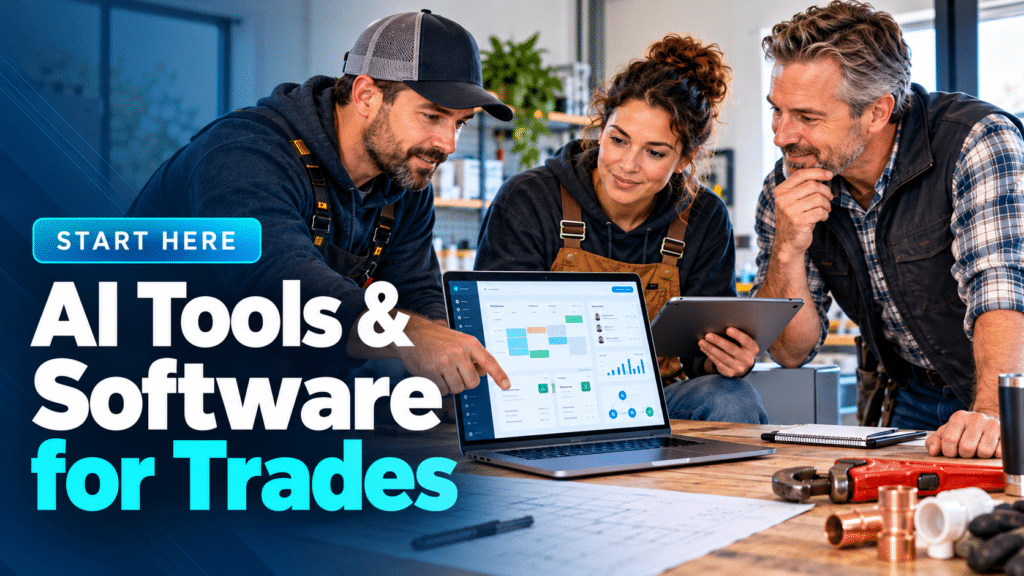
Running a trade or service business involves much more than completing the work itself.
There are enquiries to answer, appointments to schedule, estimates to prepare, customers to follow up with, invoices to send, reviews to request and new leads to generate. For a small team—or a one-person business—these administrative tasks can quickly consume time that could otherwise be spent on paying work.
This is where AI tools, business software and automation for trades can help.
Modern technology can handle or simplify many repetitive business tasks, from responding to missed calls and scheduling appointments to creating estimates, organizing customer information and sending payment reminders.
But that does not mean every trades business needs dozens of apps or complicated AI systems.
The goal should be much simpler: identify repetitive tasks, choose technology that solves genuine problems, and build a system that saves time without making the business harder to run.
This guide explains the main types of technology available to plumbers, electricians, contractors and other service businesses—and where each one can be useful.
What Are AI Tools for Trades?
AI tools for trades are applications that use artificial intelligence to assist with business tasks such as customer communication, writing, call handling, marketing, lead qualification and administrative work.
Some tools are built specifically for field-service businesses. Others are general AI products that can be adapted to a plumbing, electrical or contracting business.
Examples include tools that can help you:
- answer incoming customer calls;
- draft emails and text messages;
- summarize customer enquiries;
- create marketing content;
- respond to reviews;
- prepare first drafts of job descriptions or proposals;
- organize information;
- qualify leads;
- answer common customer questions;
- automate repetitive office tasks.
AI is only one part of the technology stack, however.
For many trades businesses, traditional CRM, scheduling, estimating, invoicing and field-service software may provide more immediate value than a standalone AI application.
The Main Types of Software a Trades Business May Need
There is no single technology stack that works for every business.
A self-employed electrician completing residential jobs has very different requirements from a plumbing company operating several vans and dispatching technicians throughout the day.
However, most trade-business technology falls into a few important categories.
1. CRM Software
CRM stands for customer relationship management.
A CRM provides a central place to store information about customers, prospects and previous interactions.
Instead of keeping customer information across notebooks, spreadsheets, emails, text messages and individual employees’ phones, a CRM can help organize it in one system.
A trades-focused CRM may help you track:
- customer contact information;
- new leads;
- previous jobs;
- estimates;
- follow-up activity;
- notes and conversations;
- upcoming work;
- lead status;
- repeat customers.
For a very small business, a basic CRM may be enough. Larger field-service companies may prefer software that combines CRM with scheduling, dispatch, estimates and invoicing.
Related guide: Best CRM for Small Business: A Trades-Focused Comparison.
2. Scheduling and Appointment Software
Scheduling becomes increasingly difficult as a business receives more enquiries or adds employees.
Appointment scheduling software can help organize jobs, technician availability and customer appointments.
Depending on the platform, it may provide:
- online booking;
- team calendars;
- appointment confirmations;
- automatic reminders;
- rescheduling;
- technician assignment;
- recurring appointments;
- calendar integrations.
For businesses with multiple field workers, scheduling may also be combined with dispatch and route-management features.
The objective is not simply having a digital calendar. A good scheduling system should reduce administrative work and make it easier to understand who is doing what, where and when.
3. Field Service Management Software
Field service management software goes beyond a basic calendar.
It is designed to help businesses coordinate work performed at customers’ locations.
Depending on the platform, one system may combine:
- customer management;
- scheduling;
- dispatch;
- estimates;
- work orders;
- technician information;
- invoicing;
- payments;
- job history;
- customer communication.
This can be particularly useful for plumbing, electrical, HVAC and other businesses managing several jobs and field technicians.
Smaller companies should still consider whether they actually need a complete field-service platform. Paying for features you never use can add unnecessary cost and complexity.
4. Estimating and Quoting Software
Creating estimates is a critical part of many trades businesses.
The faster you can prepare a clear and professional estimate, the faster a potential customer can make a decision.
Estimating software can help standardize the process by allowing businesses to create quotes using stored services, materials, labor rates and templates.
Useful features may include:
- estimate templates;
- itemized pricing;
- digital approval;
- estimate-to-invoice conversion;
- customer signatures;
- follow-up reminders;
- mobile estimate creation.
AI may also assist with drafting descriptions or organizing information, but important details such as measurements, material quantities, labor requirements, code requirements and final pricing should still be reviewed by a qualified person.
5. Invoicing and Payment Software
Finishing the job is only part of running a successful business. You also need to get paid.
Invoicing software can make it easier to create, send and track invoices.
Depending on the system, businesses may be able to:
- generate invoices from completed jobs;
- accept online payments;
- send payment reminders;
- track unpaid invoices;
- create recurring invoices;
- issue receipts;
- maintain payment records.
Integrating estimating and invoicing can be especially useful because information does not need to be entered repeatedly.
6. AI Receptionists and Answering Tools
A tradesperson cannot always answer the phone.
You may be driving, working at a customer’s property, using equipment or speaking with another client when a new enquiry arrives.
That creates an important problem: what happens to the call you cannot answer?
AI receptionist and answering technologies are designed to handle some incoming calls automatically.
Depending on the service, an AI receptionist may be able to:
- answer calls;
- collect caller information;
- identify why someone is calling;
- answer predefined questions;
- qualify enquiries;
- schedule appointments;
- route urgent calls;
- send information into another business system.
There are also traditional human answering services and hybrid approaches.
AI is not automatically the right solution for every business. Before choosing a service, consider call quality, reliability, integrations, pricing, escalation procedures and how the system handles unusual or sensitive customer situations.
We’ll cover these factors extensively in our AI Receptionist for Small Business guides.
7. Business Automation
Automation connects actions that would otherwise need to be completed manually.
Consider a simple example.
A potential customer submits a quote request through your website.
Instead of someone manually checking the form and sending a confirmation, an automated workflow might:
Website enquiry → CRM → confirmation text → staff notification → follow-up task
Another workflow could look like:
Job completed → invoice sent → payment received → review request
Or:
Estimate sent → no response for three days → follow-up message
These are relatively simple automations, but repeating them across dozens or hundreds of customers can save meaningful administrative time.
Good Tasks to Automate
The best candidates are generally predictable and repetitive tasks.
Examples include:
- appointment reminders;
- lead confirmations;
- missed-call text messages;
- estimate follow-ups;
- invoice reminders;
- review requests;
- internal notifications;
- customer follow-ups;
- recurring maintenance reminders.
However, businesses should avoid automating situations that genuinely require human judgment simply because automation is available.
8. AI for Marketing
AI can also assist trades businesses with marketing.
It can help create first drafts of:
- service-page content;
- emails;
- social-media posts;
- advertising ideas;
- customer FAQs;
- Google Business Profile updates;
- review responses;
- promotional messages.
For example, a plumbing company could use an AI assistant to brainstorm seasonal content ideas around frozen pipes, water heaters or drain maintenance.
An electrician might use it to create an initial FAQ covering EV charger installation or common electrical-service questions.
But AI-generated marketing content should be reviewed before publication.
Generic AI output often lacks local knowledge, genuine business experience and the specific details that make a company different from its competitors.
Use AI as an assistant, not as a substitute for accurate business information and professional expertise.
9. Websites and Local SEO
Software alone will not generate customers if people cannot find your business.
A professional website remains an important part of the digital system for many local service businesses.
At minimum, a trades website should make it easy for potential customers to understand:
- what services you provide;
- where you operate;
- how to contact you;
- how to request an estimate or appointment;
- why they should consider your business.
Local SEO can then help improve the visibility of the business for relevant searches in its service area.
Technology can assist with parts of this process, but tools should support a sound website and marketing strategy rather than replace one.
AI Tools vs Business Software: What’s the Difference?
The distinction is becoming increasingly blurred.
Traditional business software is designed around specific workflows such as scheduling, invoicing or CRM.
AI tools generally add capabilities such as language generation, conversation, classification, summarization or automated decision support.
Increasingly, the two are being combined.
For example, a CRM may introduce AI-generated email suggestions. A scheduling platform may add an AI assistant. An answering platform may use conversational AI to interact with callers.
For trades businesses, the question therefore should not be:
“Should I use AI or normal software?”
A more useful question is:
“Which combination of software and automation solves the problems in my business?”
How to Choose Technology for Your Trade Business
Buying software because it is popular—or because it has “AI” in its name—is rarely a good strategy.
Start with the business problem.
Ask yourself:
Where are we losing time?
Perhaps employees repeatedly enter the same information.
Where are we losing customers?
Maybe calls are going unanswered or estimates are not being followed up.
Which administrative tasks happen repeatedly?
These are often good automation candidates.
What information is difficult to find?
That may indicate a CRM or job-management problem.
Which system already contains our business data?
New tools should ideally integrate with the systems you already depend on.
Once you understand the problem, compare tools based on features that actually matter to your workflow.
A Simple Technology Stack for a Small Trades Business
A small service business does not necessarily need ten different subscriptions.
A practical starting system might include:
Website → enquiry/booking → CRM → scheduling → estimate → job → invoice → review request
AI and automation can then be added at useful points.
For example:
AI receptionist → CRM → scheduling
or:
Missed call → automated SMS → customer response → CRM
or:
Completed job → invoice → payment → automated review request
The exact stack should depend on the size of the business, number of employees, type of work and volume of customers.
Technology for Plumbers
Plumbing businesses may particularly benefit from technology that helps manage:
- incoming and emergency calls;
- technician scheduling;
- customer history;
- estimates;
- repeat service;
- invoicing;
- missed calls;
- reviews;
- local marketing.
Smart AI Trade Guide will maintain a dedicated Plumbing Software & AI section covering these workflows in more detail.
Technology for Electricians
Electrical businesses have many of the same administrative requirements but may have different estimating, project and scheduling workflows.
Useful technology may include:
- electrical estimating software;
- CRM;
- scheduling;
- field-service management;
- digital quotes;
- invoicing;
- AI receptionists;
- lead follow-up automation;
- website and local SEO tools.
Our Electrician Technology guides will examine these tools specifically from an electrical-business perspective rather than simply applying generic small-business recommendations.
Do You Need AI to Run a Successful Trades Business?
No.
A trades business does not need to adopt every new technology trend.
If your existing processes are simple, reliable and profitable, adding unnecessary software can make operations worse rather than better.
AI becomes useful when it solves a specific problem.
For example, it may make sense when you are:
- missing valuable phone enquiries;
- spending too much time drafting routine messages;
- manually following up every estimate;
- repeatedly answering the same questions;
- struggling to organize leads;
- performing predictable administrative tasks manually.
The question should always be whether the technology creates enough value to justify its cost, setup time and complexity.
Where to Start
If you are new to business software and AI, don’t try to automate your entire company in one weekend.
Start with one problem.
For example:
- Identify a repetitive or expensive problem.
- Calculate roughly how much time or opportunity it costs.
- Research tools designed to solve it.
- Test one solution on a limited workflow.
- Check the results.
- Keep, modify or remove the system.
- Move on to the next problem.
This approach makes technology adoption much easier to manage.
Explore Smart AI Trade Guide
Smart AI Trade Guide is being built as a practical resource for tradespeople and service businesses that want to use technology more effectively.
Our guides cover:
- AI Tools — AI assistants, receptionists and practical business applications.
- CRM Software — tools for managing customers, enquiries and leads.
- Scheduling & Field Service — booking, dispatch and job-management systems.
- Estimating & Invoicing — software for quotes, estimates, billing and payments.
- Automation — workflows for follow-ups, reminders and customer communication.
- Plumbers — technology specifically relevant to plumbing businesses.
- Electricians — software and AI applications for electrical contractors.
- Websites & Marketing — WordPress, local SEO, reviews and digital marketing.
As the site grows, we will also publish detailed software comparisons, individual tool reviews and step-by-step implementation guides.
Final Thoughts
The best AI tools for trades are not necessarily the tools with the most impressive technology.
They are the ones that solve real business problems.
A useful CRM should make customer information easier to manage. Scheduling software should reduce administrative work. An AI receptionist should help handle calls that would otherwise be missed. Automation should eliminate repetitive tasks without damaging the customer experience.
Start with the problem, choose the simplest suitable technology, measure whether it works, and expand from there.
That approach can help plumbers, electricians, contractors and other service businesses take advantage of AI and software without turning their businesses into complicated technology projects.
Written by
Owais