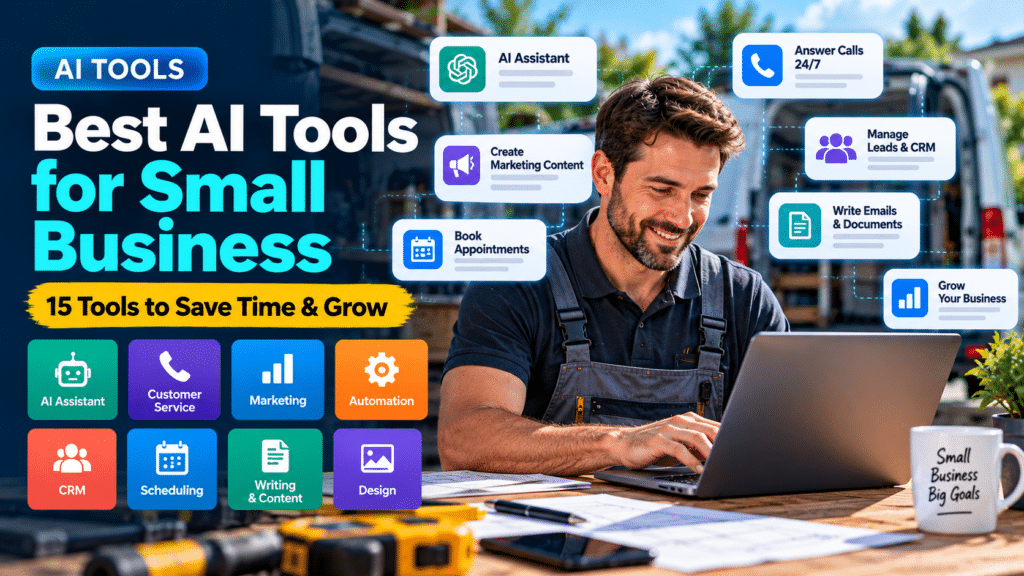
Small businesses rarely have unlimited time, staff or budgets.
A business owner may be handling customer enquiries in the morning, sending quotes in the afternoon, updating the website in the evening and trying to find new customers between everything else.
That is where AI can be useful.
The best AI tools for small business are not necessarily the most advanced or expensive platforms. They are the tools that reduce repetitive work, improve communication and help a small team get more done.
AI can now assist with:
- customer service;
- writing;
- marketing;
- meeting notes;
- lead management;
- phone calls;
- automation;
- design;
- websites;
- scheduling;
- customer follow-ups;
- business research.
In this guide, we’ll look at practical categories of AI tools small businesses can use and examples worth considering.
For trades and service businesses specifically, you may also want to read our guide to AI tools for trades.
What Should a Small Business Use AI For?
Before choosing an AI tool, start with the problem.
A small business may benefit from AI if staff are repeatedly spending time on tasks such as:
- answering the same customer questions;
- writing similar emails;
- following up leads manually;
- summarizing meetings;
- creating social-media content;
- preparing first drafts of documents;
- organizing customer information;
- responding to missed calls;
- researching marketing ideas;
- creating images;
- updating websites.
AI can help with many of these jobs.
But the goal should not be to automate everything.
A good rule is:
Use AI where it saves time without reducing accuracy, trust or customer experience.
Quick Comparison: Best AI Tools for Small Business
| Tool / Category | Best For | Typical Small-Business Use |
|---|---|---|
| ChatGPT | General AI assistance | Writing, ideas, research, admin |
| Claude | Long-form work | Documents, summaries, writing |
| Google Gemini | Google ecosystem users | Research, writing, productivity |
| Microsoft Copilot | Microsoft users | Documents, email, productivity |
| Zapier | Automation | Connecting business apps |
| Canva | Marketing design | Social graphics, presentations |
| Grammarly | Writing improvement | Emails, documents, web copy |
| Notion AI | Knowledge management | Notes, SOPs, internal documents |
| Otter.ai | Meetings | Transcription and summaries |
| HubSpot AI features | CRM and marketing | Leads, sales and content |
| AI receptionist tools | Phone answering | Calls and lead capture |
| AI website builders | Websites | Building simple websites |
| AI scheduling tools | Meetings and booking | Scheduling and coordination |
| AI email tools | Email productivity | Drafting and follow-ups |
| AI customer support tools | Customer service | FAQs and support responses |
Different businesses will need different combinations.
You probably do not need all 15.
1. ChatGPT — Best for General AI Assistance
ChatGPT is one of the most flexible AI tools for small businesses because it can assist with many different tasks.
A small business owner could use it to:
- draft emails;
- brainstorm marketing ideas;
- create FAQs;
- improve website copy;
- summarize notes;
- generate social-media ideas;
- create customer-service templates;
- organize information;
- develop processes;
- draft internal documents.
For example, a plumber could ask:
Write a polite follow-up message for a customer who received an estimate three days ago.
An electrician could ask:
Create an FAQ section explaining common questions customers ask about EV charger installation.
A consultant could ask:
Turn these meeting notes into a clear action list.
Best for
Businesses wanting one flexible AI assistant for many everyday tasks.
Keep in mind
AI-generated information should still be reviewed, particularly when it involves technical, financial, legal or safety-related information.
2. Claude — Best for Working With Longer Documents
Claude is another general-purpose AI assistant.
It can be particularly useful when a business needs help working with longer pieces of information.
Examples include:
- summarizing documents;
- reviewing long drafts;
- reorganizing content;
- producing structured reports;
- analyzing meeting notes;
- drafting longer business documents.
A service company, for example, could provide a collection of internal procedures and ask for a simplified employee checklist.
Best for
Businesses that frequently work with longer written material.
3. Google Gemini — Best for Businesses Using Google Tools
Businesses already using Google’s productivity ecosystem may find Gemini useful for everyday work.
AI can assist with tasks such as:
- drafting content;
- brainstorming;
- summarizing information;
- research;
- document work;
- productivity.
A small company working heavily in Gmail, Docs and other Google services may prefer keeping AI assistance close to the tools its team already uses.
Best for
Businesses already centered around Google’s ecosystem.
4. Microsoft Copilot — Best for Microsoft 365 Businesses
Microsoft Copilot is particularly relevant to businesses already using Microsoft’s productivity tools.
Potential uses include:
- drafting documents;
- helping with email;
- summarizing information;
- creating presentations;
- analyzing business information;
- assisting with everyday office work.
For a business already paying for Microsoft services, integrated AI may be more convenient than adding several separate tools.
Best for
Businesses using Microsoft 365 heavily.
5. Zapier — Best for AI Automation
AI becomes much more useful when it connects with other business systems.
Zapier is designed to help different applications work together.
A simple workflow might be:
Website form submitted
↓
Lead added to CRM
↓
Confirmation email sent
↓
Staff member notified
AI can also be added to certain workflows.
For example:
New enquiry → AI summarizes enquiry → CRM updated → correct team member notified
This can reduce repetitive data entry.
Small-business automation examples
You might automate:
- lead collection;
- email notifications;
- appointment reminders;
- customer follow-ups;
- CRM updates;
- review requests;
- invoice notifications.
Best for
Businesses using several separate apps that need to communicate with each other.
6. Canva — Best for AI-Assisted Marketing Design
Small businesses often need graphics but do not have a full-time designer.
Canva can help create:
- social posts;
- advertisements;
- flyers;
- presentations;
- website graphics;
- promotional materials.
AI-assisted design and content features can speed up parts of the creative process.
A local service business might use it to create:
- seasonal promotions;
- maintenance tips;
- social-media graphics;
- before-and-after posts;
- simple advertisements.
Best for
Businesses that regularly need visual marketing content.
7. Grammarly — Best for Improving Business Writing
Small businesses send a lot of written communication.
That includes:
- emails;
- proposals;
- website pages;
- social posts;
- internal documents.
Grammarly can help improve clarity, grammar and tone.
That can be useful for small teams where writing is important but nobody is dedicated solely to editing.
Best for
Businesses that want help polishing everyday writing.
8. Notion AI — Best for Business Knowledge and Documentation
Small businesses often have information scattered across:
- emails;
- spreadsheets;
- documents;
- messaging apps;
- notebooks.
Notion can act as a central workspace for internal information.
AI features can help teams work with that information more efficiently.
Businesses might use it for:
- standard operating procedures;
- employee documentation;
- meeting notes;
- content planning;
- internal knowledge bases;
- project notes.
Best for
Businesses trying to organize internal processes and documentation.
9. Otter.ai — Best for Meeting Notes
Taking notes during meetings can be distracting.
AI transcription tools can help capture conversations and produce summaries.
A business might use meeting AI for:
- client calls;
- internal meetings;
- sales conversations;
- project discussions.
Instead of relying entirely on handwritten notes, the team can review a transcript or summary later.
Best for
Businesses that spend significant time in meetings or client calls.
10. AI-Powered CRM Tools — Best for Sales and Lead Management
Customer relationship management software helps businesses manage:
- leads;
- customers;
- conversations;
- follow-ups;
- sales opportunities.
Many CRM platforms are increasingly adding AI capabilities.
AI may help with:
- drafting messages;
- summarizing customer interactions;
- prioritizing leads;
- organizing information;
- assisting sales teams.
For small service businesses, the most important benefit is often simply having all customer information in one place.
Best for
Businesses receiving enough leads that spreadsheets and inboxes are becoming difficult to manage.
11. AI Receptionists — Best for Answering Missed Calls
This category can be extremely valuable for trades and service businesses.
An AI receptionist may be able to:
- answer calls;
- collect customer information;
- identify what the caller needs;
- book appointments;
- answer common questions;
- route calls.
Imagine a plumber working under a sink when a customer calls.
Instead of the call going unanswered, the AI receptionist could collect:
- the customer’s name;
- contact information;
- postcode;
- type of problem;
- preferred appointment time.
The business can then follow up.
Best for
Businesses that frequently miss incoming calls.
Before choosing one
Check:
- call quality;
- reliability;
- booking capabilities;
- escalation options;
- integrations;
- pricing.
This category deserves its own comparison, and we’ll cover it separately in our AI receptionist guides.
12. AI Website Builders — Best for Getting a Website Online Faster
AI is also entering website creation.
AI website tools can help generate:
- page layouts;
- basic copy;
- design ideas;
- website structures;
- images.
For a very simple business site, this may speed up the initial setup.
However, businesses should be careful.
An automatically generated website may still need significant work on:
- conversion;
- local SEO;
- mobile usability;
- speed;
- service pages;
- branding;
- trust signals.
AI can accelerate website creation, but it does not automatically create a strong business website.
Best for
Simple sites, prototypes and initial website drafts.
13. AI Scheduling Tools — Best for Appointments
Scheduling can consume a surprising amount of time.
The traditional process often looks like this:
Are you available Tuesday?
No. What about Wednesday?
Wednesday afternoon?
Scheduling tools reduce this back-and-forth.
AI-enhanced scheduling platforms may also help coordinate:
- availability;
- meetings;
- reminders;
- calendars.
For trades businesses, dedicated field-service scheduling software may be more appropriate than normal meeting schedulers.
Best for
Businesses booking frequent customer or client appointments.
14. AI Email Assistants — Best for Inbox Productivity
Email can consume hours every week.
AI email tools can help:
- draft replies;
- summarize long conversations;
- organize messages;
- create follow-ups;
- rewrite unclear emails.
This can be valuable for small businesses where the owner handles most communication personally.
However, customer-facing messages should still sound human.
Best for
Business owners dealing with high email volumes.
15. AI Customer Support Tools — Best for Repetitive Questions
Businesses often receive the same questions repeatedly.
Examples include:
- What are your opening hours?
- Which areas do you cover?
- How do I book?
- What services do you provide?
- Can I change my appointment?
AI support tools can answer common questions automatically.
This can reduce repetitive support work.
However, customers should have an easy way to reach a real person when the issue becomes complicated.
Best for
Businesses handling a high volume of predictable customer questions.
Best AI Tools for Different Small-Business Tasks
Instead of choosing based on brand recognition, it is often better to choose based on the problem.
Best AI for Writing
Consider general AI assistants and writing tools.
Good uses include:
- emails;
- marketing drafts;
- customer communication;
- FAQs;
- website copy.
Best AI for Marketing
Useful categories include:
- AI assistants;
- design platforms;
- social-content tools;
- email marketing tools.
The strongest marketing content still requires real business knowledge.
Best AI for Customer Service
Consider:
- AI chatbots;
- AI receptionists;
- CRM automation;
- email assistants.
Human escalation should always be available.
Best AI for Automation
Look at workflow automation platforms that can connect:
Website → CRM → Email → Calendar → SMS
Automation can sometimes save more time than a standalone AI chatbot.
Best AI for Trades and Service Businesses
Trades businesses have specific requirements.
A plumber, electrician, HVAC contractor or builder is often more concerned with:
- incoming phone calls;
- scheduling;
- estimates;
- customer follow-up;
- invoices;
- job management.
For these businesses, the most valuable AI tools may include:
- AI receptionist
- CRM
- scheduling software
- estimate follow-up automation
- customer messaging
- review automation
- marketing assistant
This is why we recommend starting with your workflow rather than simply choosing the most popular AI product.
Free AI Tools vs Paid AI Tools
Many AI products offer some type of free access, trial or limited plan.
Free tools can be useful when:
- testing AI for the first time;
- handling occasional tasks;
- comparing platforms.
Paid plans may become useful when you require:
- higher usage;
- team access;
- integrations;
- advanced features;
- business controls;
- additional automation.
Pricing and plan features change regularly, so always check the provider’s current pricing before subscribing.
How Much Should a Small Business Spend on AI?
There is no ideal amount.
The better question is:
How much value does the tool create?
Imagine an AI system costs $100 per month but saves ten hours of administration.
That might be worthwhile.
Another tool could cost $30 per month but only save five minutes.
That may not be worthwhile.
Consider:
Monthly cost
versus
Time saved + additional leads + reduced admin + improved customer experience
AI should support the business rather than simply become another subscription.
How to Choose the Best AI Tools for Your Small Business
Before paying for anything, ask these questions.
1. What problem are we solving?
Start here.
Avoid buying software before identifying the problem.
2. How frequently does the problem happen?
Automation provides the most value when the task happens repeatedly.
3. Does it integrate with our current software?
A tool becomes more useful when it works with your existing workflow.
4. Can employees use it easily?
Complicated software may create more work than it saves.
5. What happens when the AI makes a mistake?
Important tasks should have human oversight.
6. Is the cost justified?
Measure the benefit instead of focusing only on the monthly subscription.
A Simple AI Stack for a Small Business
You do not need twenty AI subscriptions.
A simple setup could look like:
General AI Assistant
For writing, brainstorming and admin.
CRM
For customer and lead management.
Automation Platform
For connecting applications.
Scheduling Tool
For appointments.
AI Receptionist
If missed calls are a serious problem.
That combination can cover a large amount of everyday administrative work.
Common AI Mistakes Small Businesses Make
Using AI Because Everyone Else Is
Popular does not automatically mean useful.
Buying Too Many Subscriptions
Tools often overlap.
Audit your software before adding another platform.
Automating Everything
Some customer interactions need genuine human judgment.
Trusting Every AI Answer
AI can produce incorrect information.
Verify anything important.
Uploading Sensitive Information Without Thinking
Review how providers handle business and customer data before sharing sensitive information.
Failing to Measure Results
If a tool does not save time, generate value or improve customer experience, reconsider whether you need it.
Are AI Tools Worth It for Small Businesses?
They can be.
AI is particularly useful when it helps solve frequent, repetitive problems.
For example:
- missing customer calls;
- writing similar messages;
- manually following up leads;
- repetitive data entry;
- creating first drafts;
- organizing information.
A business does not need an elaborate AI strategy.
Even one useful automation can produce meaningful benefits.
How to Start Using AI in Your Business
Start with one task.
For example:
Problem: Staff spend too long answering repetitive enquiries.
Possible solution: AI-assisted customer support.
Or:
Problem: Leads aren’t being followed up.
Possible solution: CRM + automated follow-up.
Then:
- Choose one problem.
- Test one tool.
- Set clear goals.
- Keep human oversight.
- Measure the result.
- Expand only if it works.
Final Thoughts
The best AI tools for small business are the ones that make everyday work easier.
You do not need to adopt every AI product available.
Instead, focus on tools that help your business:
- communicate faster;
- reduce repetitive work;
- organize information;
- manage leads;
- automate simple workflows;
- improve marketing;
- avoid missed opportunities.
For a small business, simplicity matters.
Start with one genuine problem, choose a tool that solves it and measure whether it actually improves the business.
That approach is far more useful than adopting AI simply because it is the latest trend.
Sources and Further Reading
These official resources back up the methods in this guide and are worth reading alongside it.
- Jobber pricing (Jobber): current plans and features.
- Field service management software (Housecall Pro): feature overview.
- AI receptionist plans and pricing (Smith.ai): current AI receptionist plans.
- Secure Your Business (CISA): the core practices: phishing training, strong passwords, MFA and updates.
Related guides
- Best Answering Service for Small Business: AI and Human Options
- AI Receptionist vs Virtual Receptionist: Which Is Better for Trades?
- Best AI Receptionist for Small Business: Trades Edition
- Tools, Software and Automation for Trades: Start Here
Frequently Asked Questions
What are the best AI tools for small business?
The best tools depend on the task. General AI assistants can help with writing and research, automation tools can connect applications, CRM tools can help manage leads, and AI receptionists can help businesses handle missed calls.
What is the best free AI tool for small business?
Several AI platforms provide limited free access, but the best option depends on whether you need help with writing, marketing, automation, customer service or another task.
How can small businesses use AI?
Small businesses can use AI for customer communication, email drafting, marketing, lead management, meeting summaries, automation, phone answering and administrative work.
Can AI help a small business get more customers?
AI can support lead follow-up, marketing and customer communication, but it does not guarantee more customers. The underlying offer, reputation, sales process and customer service still matter.
Can I use AI to automate my business?
Certain repetitive workflows can be automated, including lead notifications, appointment reminders, follow-ups and review requests. Important decisions should still involve human oversight.
Is AI expensive for small businesses?
Not necessarily. Costs vary significantly between products. Some platforms provide free access, while more advanced business tools charge monthly or usage-based fees.