If you search for “plumber near me” or “emergency electrician” in many areas, the first thing you see is often not a website at all. It is a small row of businesses with star ratings, a verification badge and a “Call” button. These are Google Local Services Ads (LSAs), and for many trades they have become one of the most visible places to appear on Google.
This guide explains how Google Local Services Ads for contractors work, what they typically cost, how to get set up, and how to judge whether the leads are actually profitable for your business.
What Are Google Local Services Ads?
Local Services Ads are a separate ad format from standard Google Ads. They appear at the top of relevant local searches and in Google Maps for certain service categories. Each listing shows your business name, rating, review count, service area, opening hours and a verification badge once Google has checked your business.
The key difference from normal search ads is how you pay:
- Standard Google Ads charge per click, whether or not the visitor ever contacts you.
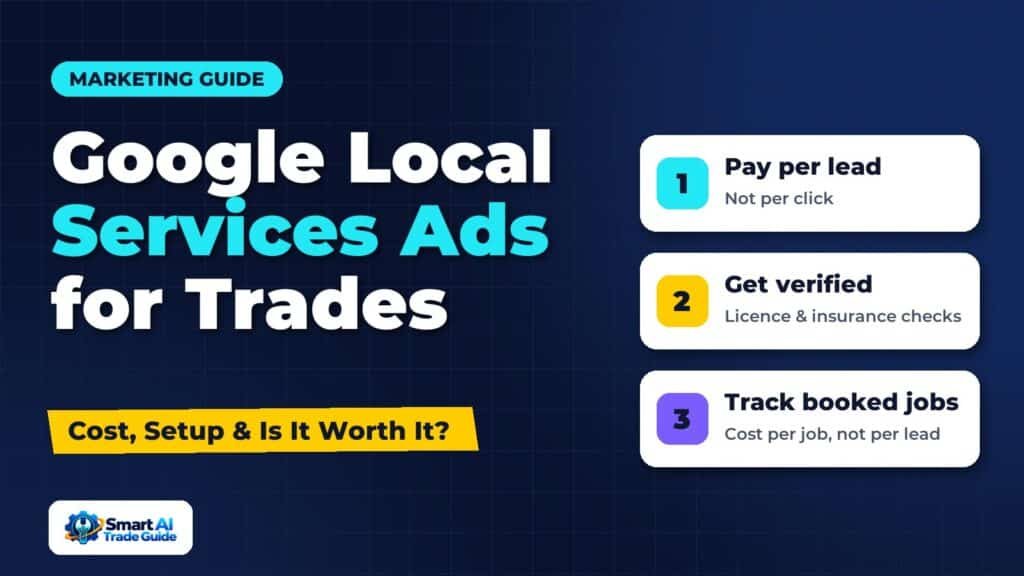
- Local Services Ads charge per lead, which usually means a phone call, message or booking request from a customer in your service area for a service you offer.
That makes LSAs attractive for trades businesses that have been burned by paying for clicks that never turned into enquiries. If you want a broader comparison of paid and organic channels first, see our guide to Google Ads vs SEO for service businesses.
Which Trades Can Use Them?
Availability depends on your country and your category. In the UK and US, common home-service categories such as plumbing, electrical work, heating, locksmiths, cleaning, pest control, roofing and landscaping are typically covered, but the exact list changes and some categories are only available in certain regions.
The quickest way to check is to go to the Local Services Ads sign-up page, enter your business category and postcode or ZIP code, and see whether it is supported. If it is not available yet, standard search ads and local SEO remain your main options.
How Much Do Local Services Ads Cost?
Google does not publish a fixed price list. You set a weekly budget, and the cost per lead varies by trade, location and competition. UK industry guides published in 2026 give rough ranges along these lines:
| Trade (UK) | Typical cost per lead reported |
|---|---|
| Plumbers | Roughly £15 to £45 |
| Electricians | Roughly £20 to £50 |
| Heating engineers | Roughly £20 to £45 |
| Builders | Roughly £25 to £60 |
| Locksmiths | Roughly £40 to £60 |
These figures come from third-party estimates, not from Google, and they disagree with each other, so treat them as a starting point rather than a quote. In the US, a February 2026 benchmark across several hundred home-service contractors put the average at around $53 per lead. Busy cities and urgent services (such as emergency locksmiths or burst pipes) tend to cost more.
The number that matters most is not cost per lead but cost per booked job. If leads cost £30 and you book one in three, each new customer costs you £90 in ad spend. Whether that is good depends on your average job value and margin. Our guide to customer acquisition cost shows how to work this out properly.
How to Get Verified and Set Up
The setup process is mostly paperwork. The exact checks depend on your country and category, but expect something like this:
- Create your profile. Enter your business details, service categories, service area and opening hours.
- Pass verification. Google typically runs business, licence and insurance checks, and for some categories background checks on the owner or technicians. Depending on category and country, the badge shown is “Google Guaranteed” or “Google Screened”.
- Link your Google Business Profile. Your reviews and rating are pulled from it, so a strong profile matters.
- Set your weekly budget. Google estimates how many leads that budget might bring.
- Choose your job types. Only select services you actually want. Every unwanted job type is a potential paid lead you will turn down.
Verification can take anywhere from a few days to several weeks. Start early if you want ads live before your busy season.
What Affects Your Ranking in Local Services Ads?
Paying more does not guarantee the top spot. Google says ranking is influenced by factors such as:
- Proximity to the customer searching.
- Reviews and rating, including the number of reviews.
- Responsiveness: how quickly and reliably you answer calls and messages.
- Business hours: being open when people search.
- Complaints about your business.
Responsiveness is the factor most businesses underestimate. If calls go unanswered while you are on a job, you pay for leads you never speak to and your ranking can suffer. An AI receptionist or automatic missed-call text-back can make a big difference here.
Handling Leads You Should Not Pay For
Not every lead will be genuine or relevant. Wrong-trade calls, sales calls and customers outside your area all happen. Google has a process for leads that are not valid, and the rules for credits have changed over time, so check the current policy in your Local Services Ads account.
Good habits that protect your budget:
- Review your lead list weekly, not monthly.
- Mark each lead’s outcome (booked, not booked, not genuine) in the dashboard. This also helps Google’s systems learn which leads are useful.
- Keep your service list and service area tight.
- Pause ads when you are fully booked, rather than paying for leads you cannot serve.
Are Local Services Ads Worth It?
They are worth testing for most trades that serve homeowners, especially for urgent or high-value services. They tend to work best when:
- You already have a solid number of good Google reviews.
- Someone reliably answers the phone or replies within minutes.
- Your average job value comfortably covers the cost of a few unbooked leads.
They tend to work less well when you cannot answer calls quickly, when your reviews are thin, or when your main services are low-value jobs with tight margins.
The only way to know for sure is to track results. Record every LSA lead in your CRM, mark whether it booked, and compare the revenue and gross profit against your spend after four to eight weeks. Our guide to tracking where your leads come from covers a simple setup, and calculating marketing ROI shows how to judge the result.
Local Services Ads vs Standard Search Ads vs SEO
| Local Services Ads | Standard search ads | Local SEO | |
|---|---|---|---|
| How you pay | Per lead | Per click | Time and content, no per-lead cost |
| Speed to results | Days to weeks (after verification) | Same day | Months |
| Control over targeting | Limited (job types, area, hours) | High (keywords, ads, landing pages) | Indirect |
| Depends on reviews | Heavily | Less so | Heavily (Maps) |
| Best for | Urgent and core home services | Specific high-value services | Long-term, lower-cost lead flow |
Most established trades businesses end up using a mix. LSAs and search ads bring leads quickly; local SEO and a strong Google Business Profile reduce your dependence on paid channels over time.
Frequently Asked Questions
Do I need a website to run Local Services Ads?
No. Customers contact you directly from the ad. However, many people still check your website before calling, so a clear, trustworthy site helps conversion.
Can I choose which jobs I get leads for?
Yes, within limits. You choose job types from Google’s list for your category and set your service area. Choosing carefully is the main way to avoid paying for work you do not want.
How many reviews do I need?
There is no fixed minimum for running ads, but listings with more reviews and higher ratings tend to rank higher and get more calls. Building reviews before you start is worthwhile.
Can I run Local Services Ads and normal Google Ads together?
Yes. They are separate formats and can appear on the same search results page. Track each channel separately so you can see which one produces better jobs.
Conclusion
Google Local Services Ads give trades businesses a way to appear at the very top of local searches and pay only when a potential customer gets in touch. They are not a shortcut past good reviews or fast responses; they reward both. Start with a modest weekly budget, keep your job types tight, answer every lead quickly and measure cost per booked job. After a month or two you will know whether they deserve a bigger share of your marketing budget.