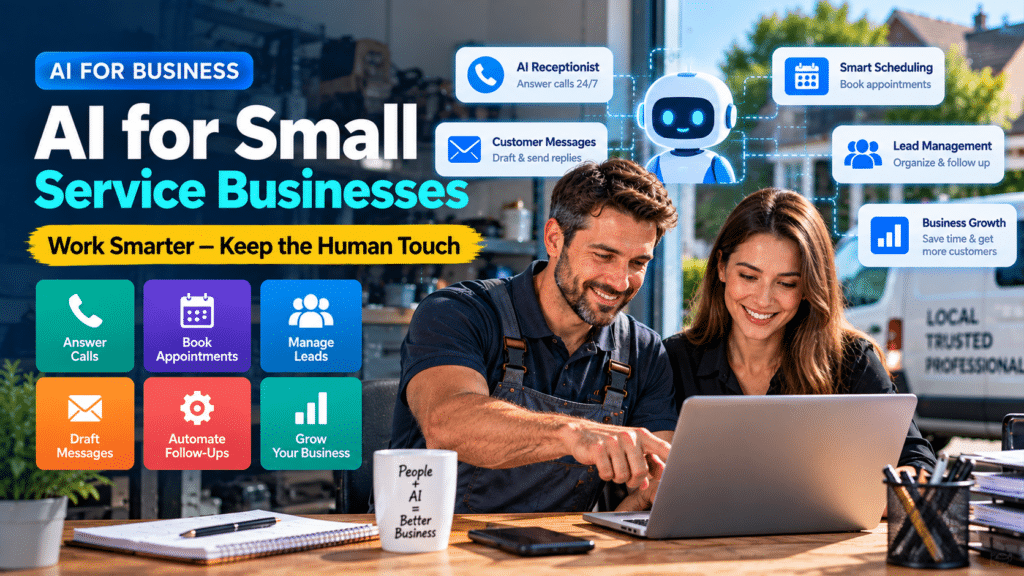
Artificial intelligence is changing the way businesses handle everyday work, but for small service businesses, the goal does not have to be replacing employees.
In many cases, the more useful approach is the opposite.
AI can take repetitive administrative work away from people so they have more time for customers, skilled work and decisions that actually require human judgment.
A plumber does not need AI to repair a leaking pipe.
An electrician does not need AI to replace a consumer unit.
A cleaning company does not need AI to clean a property.
But those businesses may be able to use AI to help answer enquiries, prepare follow-up messages, organize customer information, create marketing drafts and reduce repetitive office work.
That is where AI for small service businesses can provide practical value.
This guide explains how service companies can use AI without removing the human relationships that customers still expect.
What Does AI Mean for a Small Service Business?
AI covers a wide range of software.
For a small service business, it may include tools that can:
- draft written content;
- summarize information;
- answer certain customer questions;
- help manage incoming calls;
- categorize leads;
- create marketing ideas;
- organize notes;
- automate follow-ups;
- assist with scheduling;
- connect different business systems.
Some AI features are built directly into existing CRM, field-service, email and marketing platforms.
Others are standalone tools.
That means adopting AI does not necessarily involve replacing your current software.
In many cases, AI becomes another layer that helps existing systems work more efficiently.
AI Should Support Your Team, Not Automatically Replace It
One of the biggest misunderstandings around business AI is that every implementation is supposed to remove people from the process.
For small service businesses, that is usually not the most practical goal.
Customers still need people for:
- professional advice;
- complicated questions;
- complaints;
- unusual situations;
- technical decisions;
- pricing decisions;
- sensitive conversations;
- on-site work.
AI works best when it handles predictable parts of a process while allowing staff to focus on situations that genuinely need human attention.
A better model is:
AI handles repetitive tasks → staff handle judgment and relationships
rather than:
AI handles everything → customer cannot reach a person
Why Small Service Businesses Are Well Suited to AI
Many service businesses perform the same administrative tasks repeatedly.
A typical day may include:
- answering enquiries;
- checking voicemail;
- booking appointments;
- confirming jobs;
- sending quotes;
- following up estimates;
- reminding customers;
- writing invoices;
- requesting reviews;
- answering common questions.
Individually, these tasks may only take a few minutes.
Across hundreds of customers, however, they can consume a significant amount of time.
That repetition creates good opportunities for automation and AI.
1. Use AI to Handle Routine Customer Enquiries
Customers frequently ask similar questions.
For example:
- What areas do you cover?
- What are your opening hours?
- Do you provide emergency services?
- How can I request a quote?
- Can I reschedule my appointment?
- Do you work weekends?
- What services do you provide?
AI-assisted customer-service tools can help answer basic questions using information provided by the business.
This can be particularly useful outside normal working hours.
When a Human Should Take Over
AI should not be expected to handle every situation.
A customer should be able to reach a person when:
- the problem is unusual;
- the customer is unhappy;
- the situation may be urgent;
- pricing requires judgment;
- technical advice is needed.
The objective is to reduce repetitive questions, not remove access to your team.
2. Use AI to Support Phone Answering
Calls are extremely important for many local service businesses.
Unfortunately, tradespeople and technicians cannot always answer immediately.
Someone may be:
- driving;
- working with equipment;
- inside a customer’s property;
- on another call;
- handling an emergency.
An AI receptionist can potentially handle the initial conversation.
Depending on the system, it may be able to:
- answer the call;
- collect the caller’s name;
- collect contact information;
- ask what service is required;
- identify the service area;
- schedule certain appointments;
- transfer the call;
- notify staff.
Consider a plumbing company.
Instead of a missed call going directly to voicemail, an AI receptionist might collect the customer’s details and record that they have an urgent leak.
The plumber can then review the information and decide what to do.
The AI has not replaced the plumber.
It has prevented important information from being lost.
3. Let AI Draft Emails While Staff Approve Them
Writing similar emails repeatedly is an easy area to improve.
A service business may regularly send:
- booking confirmations;
- quote follow-ups;
- appointment changes;
- invoice reminders;
- customer updates;
- post-job messages.
AI can prepare the first draft.
For example:
Write a polite follow-up email for a customer who received a quote for electrical work five days ago and has not replied.
The business owner or employee can review the message and make any necessary changes.
This approach can save time while keeping a person responsible for what is actually sent.
4. Use AI for Customer Text Messages
The same principle applies to text messages.
AI can help write drafts for:
- appointment reminders;
- arrival notifications;
- follow-up messages;
- payment reminders;
- review requests.
A trades business could create a workflow such as:
Appointment booked → confirmation text
then:
24 hours before appointment → reminder text
then:
Technician on the way → arrival message
The technology handles the repetitive communication while the employee remains focused on the actual job.
5. Use AI to Summarize New Leads
New enquiries often contain lots of information.
A customer might explain:
- what has gone wrong;
- where they live;
- when the problem started;
- what work has already been attempted;
- when they are available.
Instead of reading a long message repeatedly, AI can help produce a short internal summary.
Example
Original enquiry:
We have had an intermittent problem with one of the upstairs sockets for a few weeks. Yesterday it stopped working completely. Another socket in the room also seems unreliable. We’re normally home after 4 PM Monday through Thursday.
AI-assisted summary:
Issue: Two unreliable upstairs sockets
Urgency: Non-emergency
Availability: Monday–Thursday after 4 PM
Service needed: Electrical inspection/repair
The original enquiry should remain available.
AI is simply making the information easier for staff to review.
6. Use AI to Organize Job Notes
Technicians often make quick notes after finishing a job.
Those notes may later be needed for:
- invoices;
- customer reports;
- follow-up visits;
- internal records.
AI can help turn rough notes into clearer wording.
Example
Rough note:
Leak under sink. Connector loose. Changed fitting. Checked again. Fine now.
Improved draft:
Inspected the leak beneath the sink and identified a loose connector. The fitting was replaced and the area was tested afterward with no further leakage observed.
The technician should confirm that the final description accurately reflects the work completed.
This saves writing time without removing professional responsibility.
7. Use AI to Help With Quote Follow-Ups
Preparing quotes takes time.
Allowing those quotes to disappear without follow-up wastes some of that effort.
A business can create a simple follow-up process.
Example Quote Workflow
Day 0: Estimate sent
Day 3: Friendly follow-up
Day 7: Second reminder if no response
Day 14: Final check-in
AI can help create personalized messages based on the type of job.
Staff can decide:
- which customers should receive follow-ups;
- when communication should stop;
- when a personal phone call is more appropriate.
This is a good example of AI supporting a sales process rather than replacing the person responsible for it.
8. Use AI to Prepare Proposal Descriptions
Contractors and service businesses often need to explain work clearly.
AI can help convert technical notes into customer-friendly descriptions.
For example, a contractor might provide:
- the job type;
- planned work;
- materials;
- expected stages.
AI could then help draft the written scope.
However, important information should always be checked.
AI should not independently determine:
- final costs;
- measurements;
- structural requirements;
- safety requirements;
- electrical requirements;
- building regulations;
- contractual obligations.
Those decisions belong with appropriately qualified people.
9. Use AI for Review Responses
Online reviews can influence how potential customers perceive a local business.
Responding to them takes time, especially as the number of reviews grows.
AI can help draft responses.
For a positive review, it might generate a short thank-you.
For a more detailed review, it could prepare a response acknowledging the specific service mentioned.
However, AI should not turn every response into the same generic sentence.
Better Approach
Give the AI:
- the customer’s review;
- your desired tone;
- relevant job details.
Then review the response before publishing it.
Negative reviews should receive additional human attention because the wording may affect an already difficult customer relationship.
10. Use AI to Generate Marketing Ideas
Many small businesses know they should publish marketing content but do not know what to create.
AI is useful for brainstorming.
A plumber could ask:
Give me 25 useful educational content ideas about common plumbing problems homeowners experience.
An electrician might ask:
Suggest blog and social-media ideas about home electrical safety and EV chargers.
A cleaning company might ask:
Create a list of seasonal cleaning topics homeowners would find useful.
AI can provide ideas quickly.
The business then chooses the topics that actually match its expertise and customers.
11. Use AI to Create First Drafts of Marketing Content
After choosing a topic, AI can also help create an initial draft.
That could include:
- social posts;
- email newsletters;
- website FAQs;
- blog outlines;
- short promotional messages.
The important word is draft.
Publishing generic AI-generated content without adding real knowledge can result in bland and unhelpful marketing.
Service businesses have valuable information AI does not automatically know:
- actual projects;
- real customer questions;
- local conditions;
- team experience;
- service areas;
- business policies;
- pricing approach;
- processes.
The strongest content combines those real details with AI assistance.
12. Use AI to Improve Website Content
A small-business website often needs ongoing updates.
AI can help with tasks such as:
- rewriting unclear sections;
- brainstorming FAQs;
- creating service-page outlines;
- improving calls to action;
- generating content ideas;
- simplifying technical language.
Imagine a plumber has a service page containing only:
We provide boiler services. Contact us today.
AI could help develop a more useful outline covering:
- what the service includes;
- common reasons customers need it;
- how bookings work;
- service area;
- FAQs.
The real business still needs to supply accurate details.
AI should help communicate the information rather than invent it.
13. Use AI to Create Internal Procedures
Small companies often keep processes in the owner’s head.
That becomes difficult when the business starts hiring.
AI can help turn rough information into structured documents.
Examples include:
- new-lead procedures;
- job completion checklists;
- call-handling instructions;
- customer complaint processes;
- quote follow-up procedures;
- review request processes.
A business owner could write:
When a new lead comes in, we check the postcode, confirm what service they need, ask when they’re available and put everything in the CRM.
AI could help convert that into a clear step-by-step procedure.
The owner then reviews it before staff use it.
14. Use AI to Summarize Meetings
For service companies with several employees, meetings can produce lots of notes.
AI meeting tools can help capture:
- discussion summaries;
- decisions;
- action items;
- follow-up tasks.
For example:
Decision: Change supplier for selected materials
Action: James to contact new supplier
Deadline: Friday
Follow-up: Review pricing next meeting
This makes it easier for employees to understand what was actually agreed.
Sensitive conversations should be handled carefully, and businesses should understand how any meeting platform processes stored recordings and data.
15. Use AI to Support Lead Qualification
Not every enquiry is equally valuable or relevant.
A service business might receive leads:
- outside its service area;
- requesting work it does not provide;
- requiring urgent assistance;
- requesting a routine estimate;
- from existing customers.
AI can help categorize these enquiries.
For example:
New lead → AI checks enquiry → category assigned → staff notified
Possible categories:
- emergency;
- quote;
- existing customer;
- outside service area;
- unsuitable service;
- general question.
Staff still decide what happens next.
The benefit is faster organization.
16. Use AI With Your CRM
Customer relationship management software stores information about leads and customers.
AI can make some CRM workflows easier.
Possible uses include:
- summarizing conversations;
- suggesting follow-up messages;
- organizing notes;
- identifying incomplete records;
- categorizing enquiries.
For growing service businesses, the combination of AI and CRM can be particularly useful because customer information remains centralized rather than being scattered across different inboxes and phones.
17. Connect AI With Automation
AI and automation are related, but they are not exactly the same thing.
Automation follows predefined rules.
For example:
New website enquiry → send email
AI can help when the workflow requires understanding information.
For example:
New website enquiry → AI identifies service needed → CRM category selected → correct team member notified
This combination can make workflows more flexible.
However, businesses should still keep processes simple wherever possible.
If a normal automation can solve the problem reliably, AI may not be necessary.
Where Humans Should Stay Involved
AI becomes less suitable as the consequences of getting something wrong increase.
Human involvement is particularly important for:
Technical Decisions
AI should not replace trained professionals making decisions about:
- electrical systems;
- gas work;
- structural work;
- safety;
- installation requirements.
Final Pricing
AI can help organize information, but businesses should remain responsible for final prices and commercial commitments.
Complaints
A frustrated customer often needs empathy and judgment rather than an automated response.
Emergencies
Urgent situations should have clear escalation procedures.
Sensitive Customer Information
Businesses should understand how any AI platform handles data before sending confidential or personal information to it.
AI Is Better at Tasks Than Entire Jobs
One helpful way to think about AI is to focus on tasks rather than jobs.
Consider an office administrator.
Their work may involve:
- answering calls;
- booking appointments;
- resolving customer problems;
- sending emails;
- making judgment calls;
- coordinating staff.
AI may help with some of those tasks.
It does not necessarily mean the entire role becomes unnecessary.
Instead, the employee may spend less time on repetitive messages and more time handling complex customer situations.
The same applies across many small businesses.
Example: Plumbing Business Using AI
Imagine a plumbing company with three technicians and one office employee.
Before AI and automation:
- Customer calls.
- Nobody answers because the administrator is busy.
- Customer leaves voicemail.
- Staff listen later.
- Someone manually enters the information.
- Someone calls the customer back.
- Appointment gets booked.
An improved workflow could be:
- Customer calls.
- AI receptionist answers.
- Basic details are collected.
- Enquiry is added to the CRM.
- Staff receive a notification.
- Administrator reviews the information.
- Human confirms the booking when necessary.
The company still has an administrator.
The administrator simply spends less time listening to routine voicemail.
Example: Electrical Business Using AI
An electrical company receives website enquiries about:
- rewiring;
- EV chargers;
- fault finding;
- inspections.
A possible workflow:
Website enquiry
↓
AI identifies enquiry type
↓
Lead added to CRM
↓
Relevant employee notified
↓
Confirmation sent to customer
↓
Human reviews enquiry
↓
Appointment or quote arranged
AI makes the intake process faster.
The electrician still decides what work is required.
Example: Cleaning Company Using AI
A cleaning company might use AI to help with:
- responding to enquiries;
- preparing booking confirmation messages;
- organizing customer requirements;
- creating social posts;
- drafting review responses.
Meanwhile, employees remain responsible for delivering the actual service and handling unusual customer requests.
How to Introduce AI Without Disrupting Your Team
Small businesses should avoid changing everything simultaneously.
Step 1: Find Repetitive Work
Ask employees:
What task do you perform repeatedly that wastes the most time?
Their answers may reveal better AI opportunities than simply looking at popular software lists.
Step 2: Choose One Workflow
Pick a small problem.
Examples:
- missed calls;
- appointment reminders;
- quote follow-ups;
- repetitive emails.
Step 3: Test the Tool
Run a limited test.
Do not immediately rebuild your entire operation around it.
Step 4: Keep Human Review
Initially, let staff review AI output.
This helps identify mistakes.
Step 5: Measure the Results
Look for outcomes such as:
- fewer missed leads;
- less admin time;
- faster response times;
- fewer repetitive tasks.
Step 6: Ask Employees for Feedback
Your team may identify problems that are not obvious from reports.
Step 7: Expand Gradually
If the first workflow works well, move to another task.
How to Talk to Employees About AI
Introducing AI poorly can create unnecessary uncertainty.
Rather than presenting it as:
We are implementing AI to reduce staffing requirements.
a service business can focus on the actual operational goal:
We want to reduce repetitive administration so the team can spend more time on customers and important work.
Employees should understand:
- what the tool does;
- what it does not do;
- which tasks it affects;
- when they need to review output;
- how mistakes should be reported.
People are much more likely to use a new system properly when they understand why it exists.
Common Mistakes to Avoid
Automating Customer Service Too Aggressively
Customers become frustrated when they cannot reach a real person.
Always provide escalation where appropriate.
Using AI Without Reviewing Output
AI can make mistakes.
Important information should be checked.
Buying Too Many Tools
Several AI subscriptions may overlap.
Start with a specific problem.
Ignoring Staff Feedback
Employees who perform the task every day may understand the workflow better than whoever selected the software.
Sending Sensitive Information Without Checking Privacy
Understand how providers process and store data.
Expecting Immediate Perfection
AI systems require testing, configuration and adjustment.
How Much AI Does a Small Service Business Actually Need?
Probably less than many AI marketing campaigns suggest.
A small trades business might get meaningful value from only a few improvements:
- better call handling;
- automated reminders;
- quote follow-ups;
- one AI writing assistant;
- a well-organized CRM.
That may be enough.
You do not need to turn every process into an AI workflow.
The goal is not to become an AI company.
The goal is to run your existing company more efficiently.
Is AI Worth It for Service Businesses?
AI can be worth using when it solves a frequent business problem.
Consider a simple calculation.
If a tool costs money each month but:
- saves several hours of administration;
- prevents missed enquiries;
- improves follow-up;
- allows staff to focus on higher-value work,
the investment may make sense.
If a tool adds complexity but saves almost no time, it probably does not.
The value should come from measurable business improvements, not from simply owning the latest technology.
Sources and Further Reading
These official resources back up the methods in this guide and are worth reading alongside it.
- AI receptionist plans and pricing (Smith.ai): current AI receptionist plans.
- Jobber pricing (Jobber): current plans and features.
- Secure Your Business (CISA): the core practices: phishing training, strong passwords, MFA and updates.
Related guides
- Best AI Tools for Plumbers in 2026: 7 Tools to Save Time & Win More Jobs
- Best AI Tools for Home-Service Businesses in 2026: Handyman, Pest Control, Solar, Moving, Pool and More
- Best AI Tools for Roofers in 2026: 5 Tools to Save Time & Win More Roofing Jobs
- Tools, Software and Automation for Trades: Start Here
Frequently Asked Questions About AI for Small Service Businesses
Can small service businesses use AI?
Yes. Small service businesses can use AI for customer communication, call handling, lead organization, follow-ups, marketing, writing and other administrative tasks.
Will AI replace employees in small businesses?
AI can automate parts of certain roles, but many service-business tasks still require human judgment, customer relationships, technical knowledge and physical work. Many businesses can use AI primarily to reduce repetitive work.
What is the easiest way for a small business to start using AI?
Start with one repetitive task such as drafting emails, handling missed enquiries, following up estimates or creating appointment reminders.
What tasks should small businesses not leave entirely to AI?
Businesses should keep people involved in technical decisions, complaints, safety-related advice, emergencies, sensitive customer situations and final commercial commitments.
Can AI help trades businesses?
Yes. Plumbers, electricians, HVAC companies, builders and other trades can use AI for customer communication, call handling, lead management, follow-ups and administration.
Do small businesses need expensive AI software?
No. The appropriate tool depends on the problem being solved. Many businesses can begin with a small number of tools rather than building a complicated AI stack.
Conclusion
AI does not have to mean replacing your team.
For many small service businesses, its most practical role is removing repetitive work that prevents employees from focusing on customers and skilled tasks.
AI can help:
- answer routine enquiries;
- capture missed leads;
- draft communications;
- summarize information;
- organize job notes;
- follow up quotes;
- support marketing;
- connect business systems.
But people should remain involved where judgment, technical expertise, trust and relationships matter.
The strongest approach to AI for small service businesses is therefore not to automate everything.
Start with one repetitive problem.
Use technology to make that process easier.
Measure whether it genuinely helps.
Then expand gradually while keeping the human side of the business intact.