A plumbing business can lose valuable work long before a plumber ever reaches the customer’s property.
A new enquiry comes in.
Someone writes the details on a piece of paper.
Another customer sends a message through the website.
A quote is prepared but never followed up.
An existing customer calls again, but nobody can quickly find the history of the previous job.
As a plumbing company grows, managing customers through phone contacts, inboxes, spreadsheets and handwritten notes becomes increasingly difficult.
That is where a CRM for plumbers can help.
CRM software provides a central place to organize leads, customer information, conversations, follow-ups and sales opportunities.
For plumbing businesses, however, a standard sales CRM is not always enough.
Many plumbers also need:
- scheduling;
- job management;
- estimates;
- technician information;
- service history;
- invoicing.
This guide explains what plumbing businesses should look for in CRM software, when a normal CRM is enough and when a field-service platform may be the better choice.
What Is a CRM for Plumbers?
CRM stands for Customer Relationship Management.
A CRM helps a plumbing business organize information about:
- prospective customers;
- existing customers;
- properties;
- enquiries;
- estimates;
- conversations;
- follow-ups;
- previous work.
Instead of customer information being spread across several systems, CRM software gives the business a central record.
A typical customer profile might include:
- name;
- phone number;
- email address;
- property address;
- previous enquiries;
- quote history;
- communication notes;
- job history;
- follow-up tasks.
For a small plumbing company, that can make customer management much easier.
Why Plumbing Businesses Need CRM Software
Plumbing companies often deal with many different types of enquiries.
Examples include:
- leaking pipes;
- blocked drains;
- boiler problems;
- bathroom installations;
- water heater issues;
- emergency calls;
- maintenance work;
- commercial projects.
These enquiries may arrive through:
- phone calls;
- email;
- website forms;
- social media;
- referrals.
Without a central system, information can easily become fragmented.
A CRM can help a plumbing business answer questions such as:
Who contacted us?
What problem do they have?
Has somebody responded?
Did we send a quote?
When should we follow up?
Have we worked at this property before?
That visibility becomes increasingly important as more employees handle customer communication.
CRM vs Field Service Software for Plumbers
This is one of the most important distinctions.
A traditional CRM mainly focuses on:
- leads;
- customers;
- sales pipelines;
- communication;
- follow-ups.
Field service software usually adds operational tools such as:
- scheduling;
- technician dispatch;
- jobs;
- mobile access;
- estimates;
- invoicing;
- payments.
For many plumbing businesses, the ideal workflow looks like:
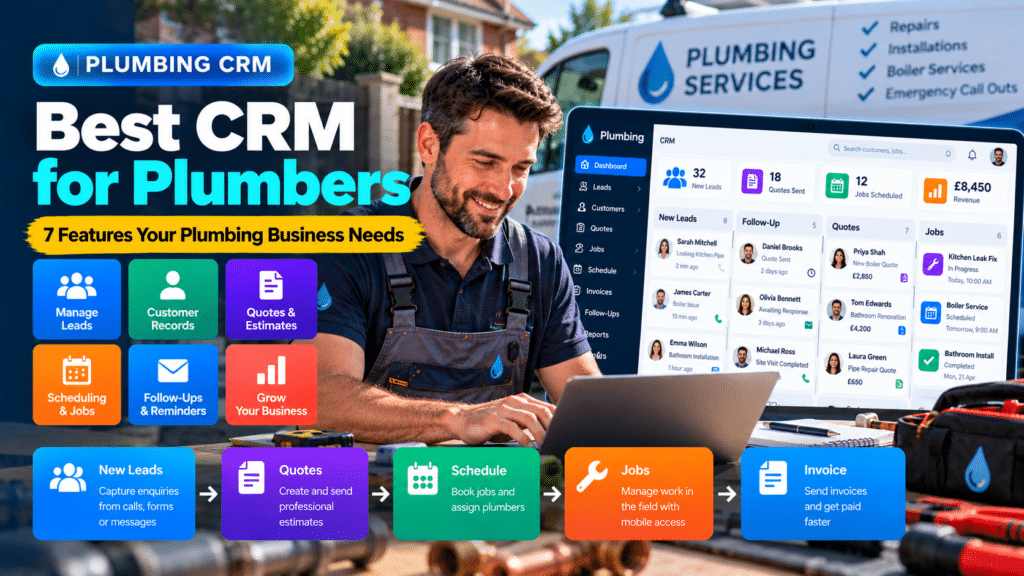
Lead → Customer → Quote → Schedule → Job → Invoice → Follow-Up
That means a field-service platform with CRM features may sometimes be more useful than a traditional CRM alone.
When a Traditional CRM Makes Sense
A general CRM can work well for plumbing companies with a more complex sales process.
For example, a commercial plumbing contractor may handle projects that move through stages such as:
New Lead
↓
Initial Discussion
↓
Site Visit
↓
Estimate
↓
Proposal
↓
Negotiation
↓
Approved
A traditional CRM can provide excellent visibility across this type of pipeline.
When Plumbing Field Service Software Makes More Sense
A residential service plumber may have a much shorter workflow:
Customer Calls
↓
Appointment Booked
↓
Plumber Dispatched
↓
Repair Completed
↓
Invoice Sent
In this case, customer management needs to connect directly with scheduling and job management.
A dedicated field-service system may therefore be more appropriate.
7 Features to Look for in a CRM for Plumbers
The best CRM for a plumbing company should match how the business actually operates.
Here are the features I would prioritize.
1. Lead Management
Every new enquiry should have a clear place in the system.
The CRM should make it easy to track:
- new leads;
- enquiry source;
- service requested;
- contact details;
- current status;
- next action.
A simple pipeline might look like:
New Enquiry → Contacted → Appointment Booked → Quote Sent → Follow-Up → Won
This helps prevent good leads from disappearing.
Why Lead Management Matters for Plumbers
Some plumbing enquiries are urgent.
Others involve larger projects that may take weeks to convert.
The CRM should help distinguish between:
- emergency enquiries;
- routine repairs;
- installation opportunities;
- larger quote-based work.
That makes prioritization easier.
2. Customer and Property Records
Plumbing work is often associated with a property, not just a person.
A customer may own:
- their home;
- a rental property;
- several commercial properties.
A useful CRM should make it easy to associate relevant property information with the customer.
That can include:
- service address;
- previous work;
- access notes;
- equipment information;
- photographs;
- historical issues.
Why This Matters
If a customer calls about a recurring leak, staff should be able to see whether the business has already worked on the same issue.
That saves time and improves continuity.
3. Quote and Estimate Tracking
Quotes are valuable opportunities.
A plumbing business may spend significant time:
- inspecting the property;
- calculating labor;
- pricing materials;
- preparing an estimate.
If the quote is sent and never followed up, that effort may be wasted.
A CRM should make it clear:
- when the quote was sent;
- whether the customer opened or accepted it;
- when follow-up is due;
- whether the opportunity was won or lost.
Example Workflow
Quote sent
↓
No response after 3 days
↓
Follow-up reminder
↓
Still no response
↓
Second follow-up
This creates consistency without requiring the owner to remember every estimate.
4. Follow-Up Automation
Follow-up is one of the biggest reasons to use CRM software.
A plumbing business can create reminders for:
- unanswered enquiries;
- outstanding quotes;
- scheduled callbacks;
- maintenance customers;
- unpaid invoices.
Some platforms may also automate parts of the communication.
For example:
Quote sent → wait 3 days → reminder email
or:
Job completed → wait 24 hours → review request
Automation should support the business, not overwhelm customers with messages.
5. Scheduling Integration
Customer information becomes much more useful when it connects to the schedule.
Once a customer accepts an appointment, staff should ideally be able to move directly from:
Lead → Booking
without entering all the information again.
Useful scheduling functionality may include:
- technician calendars;
- appointment times;
- recurring jobs;
- reminders;
- job duration;
- customer notifications.
For plumbing companies with several field workers, this feature can be essential.
6. Mobile Access
Plumbers work in the field.
CRM software that only works well on a desktop is therefore limited.
A useful mobile experience should let plumbers access relevant information such as:
- customer name;
- phone number;
- address;
- problem description;
- appointment time;
- previous service notes.
More advanced platforms may also allow technicians to:
- add photographs;
- update job status;
- create invoices;
- collect signatures;
- write job notes.
Before choosing software, test the mobile version.
7. Job History
Customer history can be extremely valuable in plumbing.
Imagine a customer calls and says:
You repaired this problem last year.
Without a proper system, someone may have to search:
- old emails;
- paper invoices;
- accounting software;
- technician messages.
A customer record with complete job history can show:
- previous visits;
- work completed;
- dates;
- technicians;
- notes;
- invoices.
This improves both customer service and internal efficiency.
Other Useful CRM Features for Plumbing Companies
Beyond the seven core features, several additional capabilities can be valuable.
Email and SMS Communication
The system may allow businesses to send:
- booking confirmations;
- reminders;
- quote follow-ups;
- invoice notifications.
Keeping communication associated with the customer record makes it easier for employees to understand what has already been discussed.
Website Lead Capture
Website enquiries should ideally move directly into the CRM.
A workflow might look like:
Website form → CRM lead → staff notification
This reduces manual data entry.
Reporting
Useful reports may help a plumbing company understand:
- number of leads;
- lead sources;
- quotes sent;
- conversion rate;
- lost opportunities;
- customer value.
You do not need dozens of reports.
Focus on information that helps make decisions.
Accounting Integration
CRM or field-service software may integrate with accounting platforms.
This can reduce duplicate work when managing:
- invoices;
- payments;
- customer records.
Review Requests
After a completed job, the business may send a review request automatically.
A workflow might be:
Job completed → wait one day → review request
This can help create a more consistent review process.
Best Types of CRM for Plumbing Businesses
Different plumbing businesses require different systems.
CRM for Solo Plumbers
A solo plumber may not need complicated software.
The most important features may be:
- customer records;
- enquiries;
- reminders;
- estimates;
- simple scheduling.
Avoid paying for enterprise functionality you will never use.
CRM for Small Plumbing Teams
A growing company may need:
- shared customer records;
- technician scheduling;
- quote tracking;
- job history;
- invoicing;
- mobile access.
At this stage, a field-service platform often becomes attractive.
CRM for Large Plumbing Businesses
Larger companies may require:
- multiple teams;
- advanced dispatch;
- service agreements;
- detailed reporting;
- call tracking;
- pricebooks;
- sales management;
- permissions;
- multiple locations.
The complexity of the CRM should grow with the complexity of the business.
CRM for Commercial Plumbing Contractors
Commercial contractors may require a stronger traditional sales pipeline.
They may need to track:
- developers;
- property managers;
- general contractors;
- facilities teams;
- bids;
- proposals;
- long sales cycles.
In this case, a general CRM may be more suitable than a system designed primarily for residential service calls.
CRM for Residential Plumbing Companies
Residential plumbers often need a more operational platform.
Important features may include:
- incoming enquiries;
- scheduling;
- dispatch;
- estimates;
- job history;
- invoices;
- customer reminders.
A field-service platform with CRM functionality may therefore be a better fit.
Example Plumbing CRM Workflow
Here is a simple example.
Step 1: New Enquiry
A homeowner submits a form about a leaking pipe.
Step 2: CRM Record Created
The customer’s details are added automatically.
Step 3: Lead Categorized
The enquiry is categorized as:
Residential Plumbing Repair
Step 4: Appointment Booked
An available plumber is assigned.
Step 5: Confirmation Sent
The customer receives the appointment details.
Step 6: Job Completed
The plumber records:
- work completed;
- parts used;
- photographs;
- notes.
Step 7: Invoice Sent
The customer receives an invoice.
Step 8: Review Request
After the job, the system sends a polite review request.
This is the type of connected workflow that can reduce administrative work.
How CRM Can Help Plumbing Businesses Generate More Revenue
CRM software does not automatically create customers.
However, it can help prevent existing opportunities from being wasted.
Faster Lead Follow-Up
A CRM can make new enquiries visible immediately.
Better Quote Follow-Up
Outstanding estimates can be reviewed systematically.
Repeat Business
Customer records can help identify:
- previous work;
- maintenance opportunities;
- recurring service needs.
Better Lead Tracking
Businesses can see which marketing channels generate customers.
For example:
- Google Search;
- Google Business Profile;
- referrals;
- website;
- paid advertising.
This can help inform future marketing decisions.
How CRM Can Help With Emergency Plumbing Leads
Emergency enquiries need a different process.
A CRM or connected system may help categorize leads based on urgency.
For example:
Customer reports active water leak → emergency category → immediate staff alert
A routine enquiry might instead enter the normal scheduling queue.
Automation can help organize the information, but staff should remain responsible for decisions about urgency and response.
CRM and AI for Plumbing Businesses
AI can increasingly be used alongside CRM systems.
Potential uses include:
- summarizing customer enquiries;
- drafting follow-up messages;
- categorizing leads;
- summarizing call notes;
- creating customer-service responses.
For example:
Incoming enquiry
↓
AI summarizes problem
↓
CRM record created
↓
Staff reviews lead
This can reduce administrative work.
However, AI should not make important plumbing safety or technical decisions.
How to Choose the Best CRM for Your Plumbing Business
Use a structured process.
Step 1: Write Down Your Existing Workflow
Start with:
How does a customer move through our business today?
For example:
Phone Call → Booking → Visit → Quote → Work → Invoice
This tells you what the software needs to support.
Step 2: Identify Where Problems Occur
Ask:
- Are enquiries being forgotten?
- Are quotes not followed up?
- Are customer records difficult to find?
- Are technicians missing information?
- Are invoices delayed?
Choose software based on these problems.
Step 3: Decide Whether You Need CRM or FSM
If you mainly need:
- lead management;
- customer information;
- sales tracking;
a CRM may be enough.
If you also need:
- scheduling;
- technicians;
- jobs;
- invoicing;
consider field service management software.
Step 4: Create a Shortlist
Do not test ten platforms.
Choose two or three that appear to match your needs.
Step 5: Test With a Realistic Customer
Create a sample customer and move them through:
Enquiry → Quote → Appointment → Job → Invoice
See how easy the system feels.
Step 6: Test Mobile Use
Open the platform as if you were a plumber arriving at a customer’s property.
Can you quickly find what you need?
Step 7: Calculate Total Cost
Include:
- subscription price;
- additional users;
- messaging;
- add-ons;
- setup;
- payment processing;
- integrations.
Step 8: Involve Your Team
Ask office staff and plumbers whether the platform actually makes their work easier.
Common CRM Mistakes Plumbing Businesses Make
Choosing a Generic CRM Without Considering Field Work
Sales functionality alone may not be enough for a plumbing company.
Buying Too Much Software
A two-person business probably does not need an enterprise CRM.
Ignoring Mobile Usability
Your plumbers need access away from the office.
Creating Too Many Pipeline Stages
Keep your process simple.
Failing to Follow Up
Software can remind you, but somebody still needs to act.
Maintaining Multiple Customer Lists
Avoid keeping one list in the CRM and another spreadsheet that becomes outdated.
Do Plumbers Need a Separate CRM and Field Service Platform?
Sometimes.
A larger company may use:
CRM → Lead and sales management
and:
Field service software → Scheduling, technicians and jobs
The two systems can potentially be integrated.
However, smaller plumbing businesses may prefer one platform that handles both areas.
Using fewer systems can simplify operations.
Sources and Further Reading
These official resources back up the methods in this guide and are worth reading alongside it.
- Jobber pricing (Jobber): current plans and features.
- Field service management software (Housecall Pro): feature overview.
- Workiz features (Workiz): scheduling, dispatch, phone and invoicing features.
- FieldPulse features (FieldPulse): feature overview.
Related guides
- Best Invoicing Software for Service Businesses in 2026: 7 Tools Compared
- Best Field Service Management Software for Small Businesses in 2026
- Best Work Order Software for Small Service Businesses
- Tools, Software and Automation for Trades: Start Here
Frequently Asked Questions About CRM for Plumbers
What is the best CRM for plumbers?
The best CRM depends on the plumbing company’s size and workflow. Residential service businesses may benefit from field-service platforms with built-in CRM functionality, while commercial plumbing contractors may prefer a traditional sales CRM.
Do plumbers need CRM software?
Not every plumber needs a CRM. It becomes more useful when leads are being forgotten, customer information is difficult to find or several employees handle customer enquiries.
What should a plumbing CRM include?
Useful features include lead management, customer records, property information, quote tracking, follow-up reminders, mobile access and job history.
Is CRM the same as plumbing software?
Not exactly. CRM focuses mainly on customers and leads, while plumbing or field-service software often includes scheduling, dispatch, jobs, invoicing and payments as well.
Can a CRM help plumbing companies get more customers?
A CRM can help businesses respond faster and follow up existing leads more consistently, but it does not generate customers automatically.
Can plumbers use AI with CRM software?
Yes. AI can assist with enquiry summaries, message drafting, lead organization and other administrative tasks. Important technical decisions should still be handled by qualified professionals.
Conclusion
The best CRM for plumbers should help the business keep track of customers and opportunities without creating unnecessary complexity.
For most plumbing companies, the most important features are:
- lead management;
- customer and property records;
- quote tracking;
- follow-up reminders;
- scheduling integration;
- mobile access;
- job history.
The biggest decision is whether you need a traditional CRM or a broader field-service platform.
If your business mainly needs stronger lead and sales management, a CRM may be enough.
If you also need scheduling, technician management, jobs and invoices, field-service software with CRM functionality may be the better fit.
Start by mapping your existing customer journey.
Then choose software that removes the biggest problems in that process.
The goal is not simply to own a CRM.
The goal is to make sure valuable plumbing enquiries turn into organized, well-managed customer relationships.