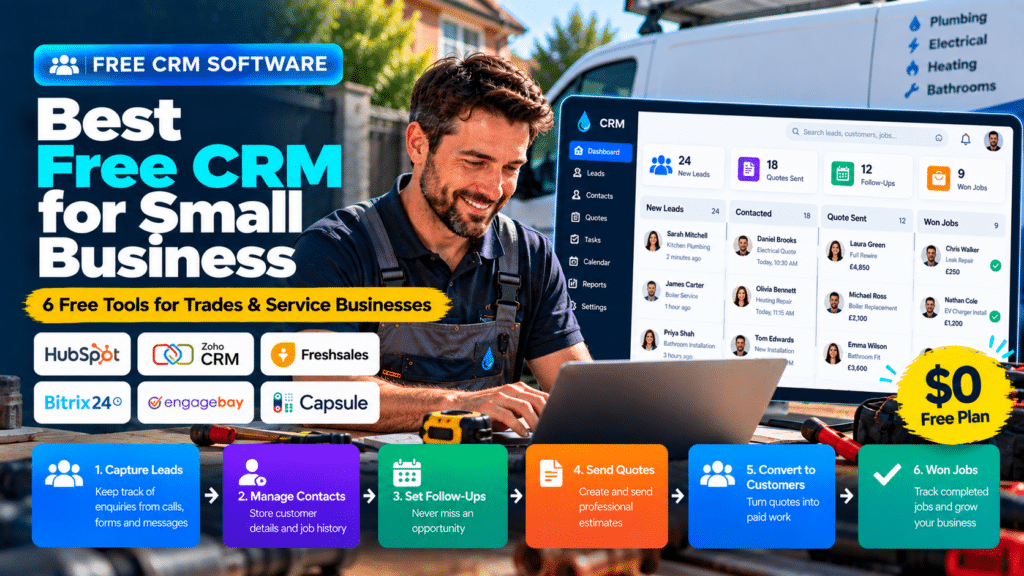
A small trade business does not always need expensive CRM software.
If you are a solo plumber, electrician, contractor or small service team, you may only need a simple way to keep track of:
- leads;
- customers;
- quotes;
- follow-ups;
- notes;
- appointments;
- sales opportunities.
That is where a free CRM for small business can make sense.
The right free CRM can help you move away from spreadsheets, notebooks and scattered phone contacts without adding another monthly subscription.
However, free CRM plans usually come with limits.
Those limits may involve:
- number of users;
- number of contacts;
- automation;
- integrations;
- reporting;
- customization.
This guide compares several free CRM platforms and explains which ones may be most useful for trades and service businesses.
Quick Comparison of the Best Free CRM Software
| CRM | Free Plan | Best For | Main Limitation |
|---|---|---|---|
| HubSpot CRM | Yes | Small businesses wanting an easy general CRM | Advanced features require paid plans |
| Zoho CRM | Yes, up to 3 users | Small teams wanting traditional CRM features | Free plan is limited for larger teams |
| Freshsales | Yes, up to 3 users | Small sales teams | More automation requires paid tiers |
| EngageBay | Yes, up to 15 users | Small teams wanting CRM + marketing tools | Advanced features are paid |
| Bitrix24 | Yes | Teams wanting CRM plus collaboration tools | Can feel complex for very small businesses |
| Capsule CRM | Yes, up to 2 users | Solo operators and tiny teams | Limited to 250 contacts |
What Is a Free CRM?
A CRM, or Customer Relationship Management system, helps organize information about leads and customers.
Instead of storing everything in different places, a CRM gives you one central system.
A basic CRM may help you manage:
- contact details;
- new enquiries;
- follow-up tasks;
- sales opportunities;
- notes;
- meetings;
- customer history.
For a small trades business, this can be enough to solve one of the biggest problems:
forgetting who needs to be contacted next.
Why Trades Businesses Use CRM Software
Many trades businesses begin with simple systems.
A customer calls.
Their details are saved in a phone.
Another lead comes through a website.
Someone writes it in a notebook.
A quote is sent by email.
A reminder is written somewhere else.
That may work when there are only a few enquiries.
As the business grows, it becomes harder to answer basic questions such as:
- Which leads have not been contacted?
- Which quotes need follow-up?
- Which customers have worked with us before?
- Who spoke to this customer last?
- Which enquiries turned into jobs?
A CRM helps organize those answers.
1. HubSpot CRM
HubSpot offers one of the most recognizable free CRM platforms for small businesses.
Its free CRM currently includes contact management, deal pipelines, task management, reporting dashboards and other basic CRM features, and HubSpot states that the free version does not expire. Its current free tier supports up to two users and up to 1,000 contacts (source: HubSpot).
Why HubSpot Is Useful for Small Businesses
HubSpot is relatively easy to understand.
A small business can track leads through stages such as:
New Lead → Contacted → Quote Sent → Follow-Up → Won
This makes it useful for contractors and service businesses with a clear sales process.
Useful Features
The free version can provide:
- contact management;
- deal tracking;
- task management;
- basic reporting;
- meeting scheduling;
- email tools;
- sales quotes (source: HubSpot).
Best For
HubSpot may suit:
- contractors;
- consultants;
- service companies;
- small teams receiving leads through a website;
- businesses planning to grow into marketing automation later.
Possible Limitation for Trades
HubSpot is a general CRM.
It does not replace a full field-service platform for businesses that need:
- technician scheduling;
- dispatch;
- detailed job management;
- field invoicing.
2. Zoho CRM
Zoho CRM also offers a permanent free edition.
Its current free plan supports up to three users and includes contact management, follow-up reminders, workflow automation, email templates, tasks, meetings, calls, reports and API access (source: Zoho).
Why Zoho CRM Is Useful
Zoho can be attractive for small businesses that want a more traditional CRM structure.
It supports:
- leads;
- contacts;
- deals;
- follow-up reminders;
- tasks;
- reports;
- basic workflow automation.
Example for a Contractor
A contractor could create a pipeline such as:
New Enquiry
↓
Site Visit
↓
Estimate Sent
↓
Follow-Up
↓
Won
That gives the business a clear view of every active opportunity.
Best For
Zoho CRM may suit:
- small contractors;
- electricians;
- plumbers;
- B2B service businesses;
- businesses that may later use other Zoho tools.
Possible Limitation
The free plan is limited to three users, so a growing team may quickly need a paid edition (source: Zoho).
3. Freshsales
Freshsales also provides a free CRM plan.
The current free tier supports up to three users and includes contact and account management, lifecycle stages, activity timelines, tasks, appointments, notes and a Kanban view for records (source: Freshworks).
Why Freshsales Is Worth Considering
Freshsales focuses strongly on sales activity.
It can help businesses manage:
- contacts;
- accounts;
- deals;
- tasks;
- appointments;
- pipeline activity.
This makes it useful for smaller companies where the main problem is keeping track of sales opportunities.
Best For
Freshsales may suit:
- contractors;
- consultants;
- small service companies;
- businesses with a clear quote or proposal pipeline.
Possible Limitation
More advanced sales automation, AI features and reporting generally require higher plans (source: Freshworks).
4. EngageBay
EngageBay offers a free CRM aimed at small businesses and startups.
Its current free offering supports up to 15 users and includes CRM, contact management, deal management, meeting scheduling and other sales and marketing features (source: EngageBay).
Why EngageBay Stands Out
The user allowance is significantly higher than some other free CRM plans.
That can make EngageBay attractive for a small team that wants multiple staff members to access the CRM without immediately paying per user.
Useful Features
EngageBay currently highlights features such as:
- contact management;
- deal pipelines;
- meeting scheduling;
- marketing automation;
- workflows;
- live chat;
- helpdesk tools (source: EngageBay).
Best For
EngageBay may suit:
- growing small teams;
- businesses combining sales and marketing;
- service companies wanting one broad platform.
Possible Limitation
A broad all-in-one system can be more than a very small trades business actually needs.
5. Bitrix24
Bitrix24 offers a free CRM with a broader set of collaboration tools.
Its free CRM includes customer management, sales pipelines, contacts, tasks and team communication, and Bitrix24 currently markets the free tier as allowing unlimited CRM users (source: Bitrix24).
Why Bitrix24 Is Different
Bitrix24 is more than a CRM.
It combines:
- CRM;
- tasks;
- team communication;
- sales pipelines;
- marketing tools;
- automation;
- collaboration.
That can be useful for businesses that want one system for both customers and internal work.
Best For
Bitrix24 may suit:
- multi-person service teams;
- contractors;
- businesses wanting CRM plus task management;
- companies that prefer one integrated workspace.
Possible Limitation
Because it includes many tools, the interface may feel more complex than simpler CRMs.
A solo plumber or electrician may prefer something easier.
6. Capsule CRM
Capsule CRM is a simpler option aimed at small businesses.
Its current free plan allows up to two users, 250 contacts, one sales pipeline and basic contact and opportunity management (source: Capsule CRM).
Why Capsule CRM Is Useful
Capsule focuses on simplicity.
It can help a small business track:
- contacts;
- sales opportunities;
- tasks;
- follow-ups;
- projects.
This makes it easier for a very small team to move away from spreadsheets without learning a complicated CRM.
Best For
Capsule is particularly suitable for:
- solo contractors;
- one- or two-person businesses;
- businesses with a relatively small customer database;
- companies wanting a lightweight CRM.
Possible Limitation
The free plan is limited to 250 contacts and two users (source: Capsule CRM).
That means many growing businesses will eventually need to upgrade.
Which Free CRM Is Best for Trades?
The right answer depends on your business size and workflow.
Best for Solo Operators
Consider:
- Capsule CRM;
- Zoho CRM;
- HubSpot.
These can provide enough structure without overwhelming a one-person business.
Best for Small Teams
Consider:
- Zoho CRM;
- Freshsales;
- EngageBay.
These provide lead and pipeline functionality suitable for small teams.
Best for Larger Free Teams
EngageBay and Bitrix24 stand out because their free offerings can support more users than several competitors. EngageBay currently advertises support for up to 15 free users, while Bitrix24 markets its free CRM with unlimited CRM users (source: EngageBay).
Best for Simplicity
Capsule CRM may be one of the easiest options if you only need:
- contacts;
- opportunities;
- tasks;
- follow-ups.
Best for Future Growth
HubSpot and Zoho are worth considering if you expect to grow into more advanced:
- marketing;
- automation;
- reporting;
- sales workflows.
Free CRM vs Field Service Software
This distinction matters for trades businesses.
A CRM helps with:
Lead → Customer → Follow-Up → Sale
Field service software generally goes further:
Lead → Customer → Appointment → Technician → Job → Invoice
If you run a plumbing or electrical business, you may eventually need both sales management and operational job management.
In that case, a dedicated field-service platform may make more sense than a free CRM alone.
Can a Free CRM Work for Plumbers?
Yes.
A plumber can use free CRM software to track:
- incoming enquiries;
- customers;
- quote opportunities;
- follow-up reminders;
- property notes.
For example:
New Lead → Contacted → Quote Sent → Follow-Up → Won
However, a CRM alone may not handle:
- dispatch;
- technician schedules;
- job completion;
- invoicing.
As the business grows, field-service software may become more suitable.
Can a Free CRM Work for Electricians?
Yes.
An electrician can use a free CRM to manage enquiries for:
- rewiring;
- EV chargers;
- inspections;
- installations;
- commercial projects.
A CRM can be particularly helpful for larger quote-based work where customers may take several days or weeks to decide.
Can a Free CRM Work for Contractors?
Contractors often benefit strongly from CRM software because sales cycles can be longer.
A contractor might use a CRM to track:
Lead
↓
Consultation
↓
Site Visit
↓
Proposal
↓
Negotiation
↓
Won
This is often more useful than relying on email alone.
Free CRM vs Spreadsheet
A spreadsheet can work when the business is very small.
However, spreadsheets have several weaknesses.
They do not naturally remind you to follow up.
They do not show customer history clearly.
They can easily become outdated.
They also become difficult to manage when multiple employees need access.
A CRM adds more structure around:
- activities;
- follow-ups;
- deal stages;
- communication.
What Features Should a Free CRM Have?
At minimum, look for these features.
Contact Management
You should be able to store:
- customer name;
- phone number;
- email;
- company;
- address;
- notes.
Pipeline Management
A visual pipeline helps organize sales opportunities.
Tasks and Reminders
This is one of the most valuable CRM features.
Your CRM should tell you:
Who needs to be contacted today?
Notes and Activity History
You should be able to see what has already happened with each customer.
Mobile Access
Tradespeople work away from desks.
A mobile CRM can therefore be useful.
Import and Export
Make sure you can import existing contacts and export your data later.
Integrations
Useful integrations may include:
- Gmail;
- Outlook;
- Google Calendar;
- accounting software;
- website forms.
What Features Are Usually Missing From Free CRM Plans?
Free software always has limits.
Common restrictions include:
- fewer users;
- fewer contacts;
- limited automation;
- limited custom fields;
- reduced reporting;
- fewer integrations;
- limited support.
This does not make free CRM software bad.
It simply means you should know what happens when your business grows.
When Should You Upgrade to a Paid CRM?
A paid CRM may become worthwhile when:
- your team exceeds the user limit;
- automation becomes important;
- you need multiple pipelines;
- reporting becomes more important;
- you need better integrations;
- your customer database grows beyond the free limit.
The important thing is not to upgrade too early.
Start with what you actually need.
When Should You Skip Free CRM Completely?
Free CRM is not always the right choice.
You may be better off starting with field-service software if you already need:
- technician scheduling;
- job management;
- dispatch;
- estimates;
- invoices;
- payments.
Using a free CRM plus several other disconnected tools may create more complexity than paying for one suitable platform.
How to Choose the Best Free CRM
Step 1: Count Your Users
How many employees actually need access?
This immediately eliminates some options.
Step 2: Estimate Your Contact Volume
If you already have hundreds or thousands of contacts, pay close attention to free limits.
Step 3: Map Your Sales Process
Write down your stages.
For example:
Enquiry → Quote → Follow-Up → Won
The CRM should support your workflow.
Step 4: Test Mobile Use
Open the CRM on your phone.
Can you quickly:
- search customers;
- add notes;
- update a lead;
- create a task?
Step 5: Check Export Options
You should be able to retrieve your data if you later switch software.
Step 6: Consider the Upgrade Path
Look at paid plans before committing.
A free platform is less attractive if upgrading later becomes extremely expensive.
Common Free CRM Mistakes
Choosing Only Because It Is Free
Free software still costs time.
A confusing platform may cost more in lost productivity than a paid alternative.
Adding Every Contact Without a Process
A CRM is only useful if your team consistently updates it.
Creating Too Many Pipeline Stages
Keep your sales process simple.
Ignoring Follow-Ups
CRM software can remind you, but it cannot force you to contact the customer.
Using the CRM and Spreadsheet Together Forever
Eventually, choose one system as the main source of customer information.
Ignoring Field-Service Needs
A plumbing company may outgrow a basic CRM quickly if scheduling and job management become more important than sales tracking.
Client Management Software vs CRM
Many small businesses search for “client management software” rather than CRM. The two overlap heavily, and the sections below explain where they differ and what to look for.
What Is Client Management Software?
Client management software helps businesses organize information and activity related to leads and customers.
A typical client record may include:
- name;
- email address;
- phone number;
- property or business address;
- enquiry history;
- quotes;
- appointments;
- notes;
- invoices;
- payments;
- previous work.
The goal is simple:
keep all important customer information in one place.
Instead of asking:
Who spoke to this customer last?
or:
Did we already send them a quote?
your team can check the client record.
Client Management Software vs CRM
Client management software and CRM software overlap, but they are not always identical.
A CRM mainly focuses on:
- leads;
- contacts;
- sales opportunities;
- follow-ups;
- customer relationships.
Client management software can go further by also including:
- appointments;
- projects;
- contracts;
- invoices;
- payments;
- service history.
For trades and home-service businesses, this broader workflow can be more useful.
A plumbing company, for example, may need to manage:
Customer → Quote → Appointment → Job → Invoice → Payment
That is why a field-service platform with client-management features may sometimes be a better fit than a traditional CRM.
What Features Should Client Management Software Include?
Before choosing a platform, focus on the features that solve real problems.
Contact Management
The software should make it easy to store:
- names;
- email addresses;
- phone numbers;
- addresses;
- notes.
Lead Tracking
You should be able to separate new prospects from existing customers.
Follow-Up Tasks
A useful system should help answer:
Who needs to be contacted today?
Communication History
Employees should be able to see:
- previous messages;
- notes;
- emails;
- calls.
Appointment Scheduling
For service businesses, scheduling should ideally connect to customer records.
Quotes and Proposals
Businesses should be able to see what has been:
- sent;
- approved;
- rejected;
- followed up.
Invoicing and Payments
Some systems allow invoices and payments to remain attached to the same client record.
Client Portal
A client portal may allow customers to:
- approve quotes;
- view appointments;
- pay invoices;
- access documents.
Mobile Access
Field employees should be able to access important customer information from a phone or tablet.
Automation
Useful automation may include:
- follow-up reminders;
- appointment reminders;
- quote reminders;
- payment reminders.
Client Management Software for Plumbers
Plumbing businesses often need customer records connected to specific properties and service history.
Useful information may include:
- service address;
- previous repairs;
- quote history;
- technician notes;
- invoices;
- future appointments.
For this type of workflow, a field-service platform can be especially useful.
Client Management Software for Electricians
Electricians may need to manage enquiries for:
- rewiring;
- EV charger installation;
- inspections;
- repairs;
- commercial projects.
Residential electrical businesses may prefer field-service software.
Commercial contractors with longer sales cycles may benefit more from a traditional CRM.
Client Management Software for Contractors
Contractors often have longer and more complex customer journeys.
A lead may move through:
Enquiry → Consultation → Site Visit → Proposal → Negotiation → Project
For this type of workflow, CRM or proposal-focused platforms can work well.
Client Management Software for Cleaning Businesses
Cleaning businesses often need:
- client records;
- recurring appointments;
- reminders;
- invoices;
- payments.
A booking-focused client-management platform may be enough for smaller cleaning businesses.
Larger teams may need broader field-service scheduling.
Client Management Software for HVAC Businesses
HVAC businesses often need more detailed customer information.
That may include:
- property history;
- equipment information;
- maintenance schedules;
- previous repairs;
- technician notes.
Once multiple technicians are involved, field-service software usually becomes more valuable.
Client Management Software vs Spreadsheet
A spreadsheet can work when a business has only a small number of customers.
But spreadsheets become harder to manage when you need:
- follow-up reminders;
- communication history;
- quotes;
- appointments;
- documents;
- invoices.
Client-management software provides more structure.
How to Choose the Best Client Management Software
Step 1: Map Your Customer Journey
Write down what happens from the first enquiry to payment.
For example:
Lead → Quote → Booking → Job → Invoice
or:
Lead → Consultation → Proposal → Contract → Project
Your software should support the workflow you actually use.
Step 2: Identify Your Biggest Problem
Ask whether your biggest issue is:
- lost leads;
- poor follow-up;
- scattered customer records;
- scheduling;
- invoicing;
- project management.
Choose software based on the problem.
Step 3: Decide Between CRM and Field Service Software
If you mainly need:
- contacts;
- deals;
- follow-ups;
a CRM may be enough.
If you also need:
- jobs;
- technicians;
- schedules;
- invoices;
consider field-service software.
Step 4: Check Mobile Access
Trades businesses should test the software from a phone.
The system should be easy for field workers as well as office staff.
Step 5: Check Integrations
Look for integrations with tools you already use, such as:
- accounting software;
- email;
- calendars;
- website forms;
- automation tools.
Step 6: Compare Total Cost
Do not only compare the advertised price.
Also check:
- additional users;
- SMS costs;
- payment fees;
- add-ons;
- setup fees;
- automation limits.
Step 7: Test a Real Customer Workflow
Create a sample customer.
Move them through:
Enquiry → Quote → Appointment → Invoice → Payment
If the system feels confusing during the test, it may become even more difficult when the business is busy.
Related guides
- Best Invoicing Software for Service Businesses in 2026: 7 Tools Compared
- Best Field Service Management Software for Small Businesses in 2026
- Best Work Order Software for Small Service Businesses
- Tools, Software and Automation for Trades: Start Here
Frequently Asked Questions
What is the best free CRM for small businesses?
HubSpot, Zoho CRM, Freshsales, EngageBay, Bitrix24 and Capsule CRM all offer free CRM options. The best choice depends on team size, contact limits and required features.
Is HubSpot CRM really free?
Yes. HubSpot currently offers a free CRM with no expiration date, with limits on users, contacts and advanced functionality (source: HubSpot).
Does Zoho CRM have a free version?
Yes. Zoho CRM currently offers a free edition for up to three users (source: Zoho).
What is the best free CRM for plumbers?
For basic customer and lead tracking, HubSpot, Zoho or Capsule may be enough. Plumbing businesses needing scheduling and technician management may be better served by field-service software.
What is the best free CRM for electricians?
Electricians can use general CRM software such as HubSpot, Zoho, Freshsales or Capsule for leads and follow-ups. Larger service operations may need more advanced field-service tools.
Can I use a free CRM forever?
Some platforms offer permanent free plans rather than temporary trials, including HubSpot, Zoho CRM, Bitrix24 and Capsule CRM, although features and limits can change over time (source: HubSpot).
Is a free CRM better than a spreadsheet?
A CRM generally provides better follow-up tracking, activity history and pipeline management. A spreadsheet may still be sufficient for a very small business with only a few leads.
Conclusion
The best free CRM for small business depends on how many people need access and how complex your customer process is.
For very small businesses, Capsule CRM offers a simple starting point.
For broader traditional CRM functionality, HubSpot, Zoho CRM and Freshsales are strong options.
For larger teams wanting a free CRM, EngageBay and Bitrix24 provide unusually generous user allowances (source: EngageBay).
However, trades businesses should remember one important point:
CRM software manages customers and leads. It does not automatically manage the work itself.
If your business also needs:
- technicians;
- scheduling;
- dispatch;
- job management;
- invoicing;
you may eventually need field-service software rather than a standalone free CRM.
Start with the simplest system that solves your current problem.
If it helps you stop losing leads, improve follow-up and keep customer information organized, then even a free CRM can provide significant value.