
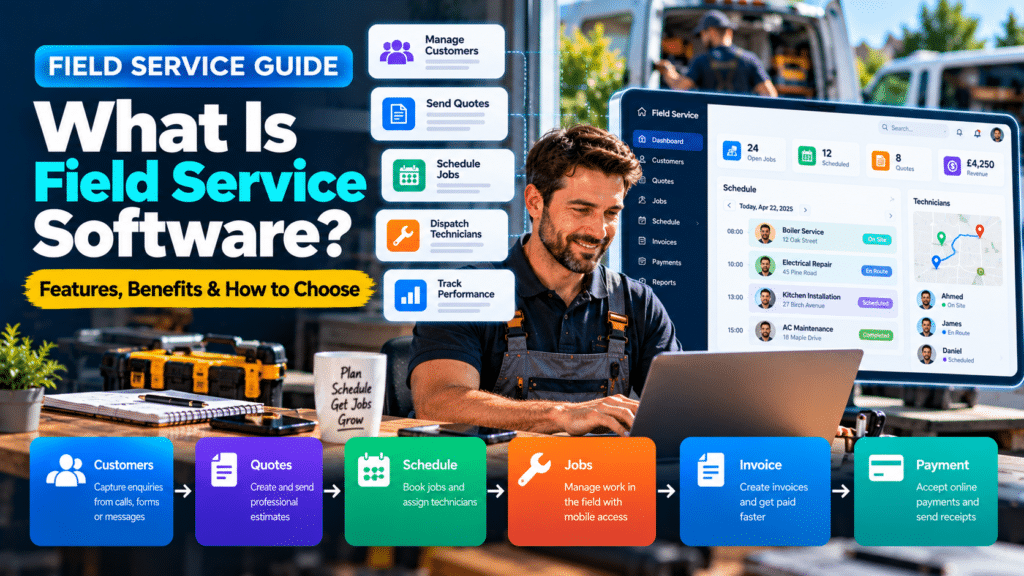
Running a field service business means coordinating customers, jobs, employees, appointments, estimates, invoices and payments—often while most of the actual work happens away from the office.
That can quickly become difficult when information is spread across spreadsheets, emails, paper diaries, text messages and several different apps.
Field service software is designed to bring those workflows together.
For plumbers, electricians, HVAC companies, cleaning businesses, landscapers, contractors and other service businesses, it can help manage the entire customer journey from the first enquiry through to scheduling, job completion, invoicing and follow-up.
But field service platforms can vary significantly.
Some are designed for solo tradespeople. Others are built for larger companies managing dozens or hundreds of technicians.
This guide explains what field service software does, which features matter most and how to choose a system that fits your business.
What Is Field Service Software?
Field service software is business-management software designed for companies that perform work at customer locations.
Instead of managing each part of the business separately, field service software can connect several processes within one platform.
Depending on the system, it may help manage:
- customers;
- leads;
- estimates;
- jobs;
- technicians;
- scheduling;
- dispatch;
- invoices;
- payments;
- job notes;
- customer communication;
- recurring work;
- reporting.
The broader term field service management software, often shortened to FSM software, is commonly used for platforms that coordinate both office and field operations.
What Types of Businesses Use Field Service Software?
Field service software can be useful for businesses where employees regularly travel to customer locations.
Examples include:
- plumbers;
- electricians;
- HVAC companies;
- heating engineers;
- landscapers;
- cleaning companies;
- pest-control businesses;
- roofers;
- painters;
- handymen;
- appliance-repair companies;
- security-system installers;
- solar installers;
- EV charger installers;
- builders and contractors;
- property-maintenance companies.
The exact workflow differs between industries, but many of these businesses face similar operational challenges.
They need to know:
Who is the customer?
What work needs to be done?
Who is doing the job?
When is it scheduled?
What materials or information are required?
Has the customer been invoiced?
Field service software helps organize those answers.
How Does Field Service Software Work?
A typical workflow may begin when a customer contacts the business.
Step 1: Customer Enquiry
A customer calls, sends an email or submits a website form.
Their information is added to the system.
Step 2: Estimate or Quote
The business prepares an estimate using customer and job information.
Step 3: Job Scheduling
Once approved, the work is added to the schedule.
Step 4: Technician Assignment
A technician or field employee is assigned to the job.
Step 5: Field Work
The technician can access relevant information from a mobile device.
This may include:
- customer details;
- location;
- job description;
- previous service history;
- notes;
- photographs.
Step 6: Job Completion
The technician records what was completed.
Step 7: Invoice
An invoice can be created based on the completed work.
Step 8: Payment and Follow-Up
The customer pays and may receive:
- a receipt;
- follow-up message;
- review request;
- maintenance reminder.
Instead of using separate systems for every step, field service software attempts to create one connected process.
What Problems Does Field Service Software Solve?
Field service software is valuable when it solves operational problems rather than simply replacing paper with a screen.
Customer Information Is Scattered
Without a central system, customer information might exist across:
- phones;
- spreadsheets;
- email;
- notebooks;
- messaging apps.
That makes it difficult to see the complete customer history.
Field service software can keep relevant information together.
Jobs Get Double-Booked
When several people manage calendars manually, scheduling mistakes become more likely.
A shared scheduling system can give staff a clearer view of availability.
Technicians Lack Information
Field workers may arrive at a job without knowing:
- what the customer requested;
- what was previously discussed;
- what work was completed before.
Mobile access can make current job information available before arrival.
Estimates Are Not Followed Up
Businesses often spend time preparing estimates but fail to follow them up.
Some field service systems can automate reminders.
Invoices Are Delayed
If invoices are created manually at the end of the week, cash flow may be unnecessarily delayed.
Field service software can allow invoices to be created immediately after the job.
Too Much Information Is Entered Twice
Without connected systems, staff may repeatedly enter the same customer or job details.
A centralized platform can reduce duplicated data entry.
Core Features of Field Service Software
Not every business needs every feature.
However, several functions appear frequently across field service platforms.
Customer Relationship Management
Customer-management features typically store information such as:
- customer name;
- contact details;
- address;
- job history;
- previous quotes;
- invoices;
- notes;
- communication history.
This provides employees with a clearer understanding of each customer.
Why It Matters
Imagine a customer calls about a problem that was previously repaired six months ago.
Instead of searching through old emails, staff can look at the customer’s history in one place.
Scheduling
Scheduling is one of the most important field service features.
A scheduling calendar may show:
- appointments;
- technicians;
- job duration;
- locations;
- availability;
- recurring work.
Why It Matters
Businesses can reduce:
- double bookings;
- scheduling conflicts;
- unnecessary phone calls between office staff and technicians.
Dispatching
Scheduling decides when the job happens.
Dispatching focuses on getting the right worker to the job.
Dispatch features may help businesses assign:
- technicians;
- crews;
- vehicles;
- urgent work.
More advanced systems may also help with routes or technician availability.
Estimating and Quoting
Many field service systems allow businesses to create professional estimates directly from customer records.
Useful features may include:
- templates;
- service items;
- labor rates;
- materials;
- optional services;
- digital acceptance;
- signatures.
When a customer approves an estimate, the system may convert it into a job.
Job Management
Once work is scheduled, job-management tools help track it through completion.
A job record may include:
- customer;
- address;
- assigned technician;
- job description;
- photographs;
- notes;
- materials;
- status.
Typical statuses might include:
Scheduled → En Route → In Progress → Complete → Invoiced
Mobile Apps
Field service software is most useful when technicians can access it outside the office.
A mobile app may allow employees to:
- view jobs;
- receive updates;
- contact customers;
- record notes;
- upload photographs;
- create invoices;
- collect signatures;
- update job status.
Mobile usability should be tested carefully before choosing a platform.
Invoicing
After work is completed, staff can often create an invoice directly from the job.
This reduces the need to transfer information manually.
Useful invoicing features can include:
- templates;
- tax calculations;
- deposits;
- card payments;
- reminders;
- receipts.
Online Payments
Some field service systems allow customers to pay through:
- payment links;
- cards;
- mobile devices;
- customer portals.
The faster a business can move from completed work to payment, the better its cash flow may be.
Customer Notifications
Automatic communication can reduce repetitive admin.
Examples include:
- booking confirmations;
- appointment reminders;
- technician-on-the-way messages;
- quote reminders;
- invoice reminders;
- review requests.
These messages can also improve the customer’s understanding of what happens next.
Reporting
Reporting helps businesses understand performance.
Possible reports include:
- revenue;
- outstanding invoices;
- completed jobs;
- estimate conversion;
- technician performance;
- customer activity;
- job profitability.
A small company may not need extremely advanced reporting, but basic visibility is still useful.
Recurring Jobs
Recurring-work functionality can be valuable for businesses providing regular services.
Examples include:
- maintenance;
- cleaning;
- HVAC servicing;
- inspections;
- landscaping;
- pest control.
Instead of manually creating the same appointment repeatedly, the system can schedule recurring work.
Inventory and Materials
More advanced systems may help manage:
- parts;
- materials;
- stock;
- purchase orders;
- supplier information.
This can be especially useful for larger electrical, HVAC, plumbing and commercial-service companies.
What Is the Difference Between Field Service Software and CRM?
A CRM primarily focuses on relationships with customers and leads.
It may track:
- enquiries;
- conversations;
- sales opportunities;
- contact information;
- follow-ups.
Field service software normally goes further.
It often combines:
CRM + estimates + scheduling + dispatch + field work + invoices + payments
For a business that performs work at customer locations, field service software may therefore provide a more complete operational system.
What Is the Difference Between Field Service Software and Job Management Software?
The two terms often overlap.
Job management software focuses on managing work from beginning to completion.
Field service software usually includes job management but adds functionality specifically designed for employees working in the field.
That may include:
- technician dispatch;
- mobile apps;
- customer notifications;
- location information;
- field job updates.
Different software companies use these terms differently, so compare actual features rather than relying only on the label.
What Is the Difference Between Field Service Software and Scheduling Software?
Scheduling software primarily manages appointments and calendars.
Field service software typically includes scheduling plus other functions such as:
- CRM;
- quotes;
- jobs;
- dispatch;
- invoices;
- payments.
If scheduling is your only major problem, a simpler scheduling tool may be enough.
If you need to manage the whole service workflow, field service software may be more appropriate.
How to Choose Field Service Software
The best platform is the one that matches the way your business operates.
Avoid choosing based only on popularity.
Step 1: Identify Your Biggest Problems
Start by asking:
What is currently causing the most difficulty?
Possible answers include:
- missed calls;
- scheduling errors;
- slow quoting;
- delayed invoices;
- poor communication;
- lost customer information;
- weak job costing.
Your biggest problems should determine which features matter most.
Step 2: Decide What You Actually Need
Create two lists.
Must-Have Features
For example:
- CRM;
- scheduling;
- estimates;
- invoicing;
- mobile app.
Nice-to-Have Features
For example:
- AI assistance;
- advanced reporting;
- inventory;
- marketing automation;
- route optimization.
This prevents you from paying for features that look impressive but do not solve real problems.
Step 3: Consider Your Team Size
A solo tradesperson may need something simple.
A company with twenty technicians may require:
- advanced dispatching;
- user permissions;
- performance reports;
- team communication;
- multiple locations.
Choose for the business you have now while allowing reasonable room for growth.
Step 4: Check Mobile Usability
Do not evaluate field service software only from a desktop computer.
Technicians will probably use the mobile app more frequently than the office dashboard.
Test whether field workers can easily:
- find jobs;
- update status;
- add notes;
- upload photographs;
- contact customers.
If the mobile app is difficult, adoption may be poor.
Step 5: Check Integrations
Field service software rarely operates alone.
Your business may also rely on:
- accounting software;
- email;
- calendars;
- payment processors;
- marketing platforms;
- phone systems.
Check whether the software integrates with your existing tools.
Important integrations may include platforms such as:
- QuickBooks;
- Xero;
- Google Calendar;
- Outlook;
- payment providers.
Availability varies by product and plan.
Step 6: Compare the Total Cost
Do not look only at the advertised starting price.
Also consider:
- user fees;
- setup costs;
- payment-processing fees;
- text-message charges;
- add-ons;
- premium integrations;
- onboarding;
- training.
Calculate what the software would actually cost for your team.
Step 7: Test a Real Workflow
Do not spend the entire free trial clicking around randomly.
Test your actual workflow.
Create a fictional customer and take them through the entire process:
Enquiry → Quote → Booking → Job → Invoice → Payment
This reveals whether the software actually feels efficient.
Step 8: Ask Your Team
Office staff and technicians may notice problems that the owner does not.
Ask employees:
- Is the mobile app easy?
- Is anything slower than the current process?
- Which information is missing?
- Which feature would save the most time?
Software adoption usually works better when the people using the platform are included in the decision.
What Should Small Trade Businesses Prioritize?
A small trades business generally does not need every enterprise feature.
A strong starting set may include:
Customer Management
All important customer information should be easy to find.
Quotes
Create and send estimates without rebuilding them manually every time.
Scheduling
Office staff and technicians should know what is happening each day.
Mobile Job Details
Workers should have the information they need in the field.
Invoicing
Invoices should be easy to create after work is completed.
Customer Communication
Automatic confirmations and reminders can reduce repetitive administrative work.
Those core features solve many everyday problems.
What Should Larger Field Service Businesses Prioritize?
As the business grows, additional features may become important.
These can include:
- advanced dispatch;
- multiple teams;
- service agreements;
- inventory;
- purchase orders;
- advanced reporting;
- technician performance;
- job costing;
- payroll integrations;
- multi-location management.
A growing business should choose software that can support increased operational complexity.
Field Service Software for Plumbers
Plumbing companies often need software for:
- emergency enquiries;
- scheduling;
- dispatch;
- customer history;
- estimates;
- invoices;
- recurring maintenance.
A plumber may also benefit from automated call handling and missed-call follow-ups.
Field Service Software for Electricians
Electrical contractors may need:
- estimating;
- job scheduling;
- customer records;
- technician access;
- project notes;
- photographs;
- invoicing.
Companies performing larger commercial work may also require deeper project, inventory and purchasing functionality.
Field Service Software for HVAC Businesses
HVAC companies frequently manage:
- emergency jobs;
- seasonal demand;
- installations;
- maintenance contracts;
- recurring servicing;
- multiple technicians.
Service agreements and recurring-job functionality can therefore be especially important.
Field Service Software for Cleaning Businesses
Cleaning companies may care more about:
- recurring bookings;
- staff scheduling;
- customer reminders;
- route planning;
- recurring invoices.
A simpler system may often be sufficient compared with platforms designed for highly technical trades.
Field Service Software for Contractors
Contractors may need a combination of:
- estimates;
- projects;
- schedules;
- materials;
- documents;
- progress tracking;
- invoicing.
Commercial contractors should check whether the platform is designed primarily for short service calls or can also manage longer projects.
When Does a Small Business Need Field Service Software?
You should consider field service software when existing processes start causing operational problems.
Common signs include:
- jobs regularly being forgotten;
- customer information becoming difficult to find;
- staff relying on multiple spreadsheets;
- scheduling conflicts;
- delayed invoices;
- technicians repeatedly calling the office for information;
- leads not being followed up;
- customers not receiving updates;
- business growth becoming harder to manage.
You do not need to wait until the company becomes large.
Implementing good systems early can sometimes make growth easier.
When Might You Not Need It?
Field service software may be unnecessary if:
- you are a solo operator with very few jobs;
- your workflow is extremely simple;
- your current scheduling and invoicing systems work well;
- additional software would add more complexity than value.
Software should solve problems.
It should not be added simply because another business uses it.
Can Field Service Software Save Money?
Potentially, but the benefit depends on how the platform is used.
Possible savings can come from:
- reduced admin time;
- fewer scheduling mistakes;
- quicker invoicing;
- better follow-up;
- less duplicated data entry;
- improved job visibility.
However, software also creates costs.
The question should be:
Does the value created exceed the total cost and implementation effort?
Can Field Service Software Help Generate More Revenue?
Software does not automatically generate customers.
However, it can support revenue-related processes.
For example:
Faster Lead Response
Customers may receive quicker replies.
Better Quote Follow-Up
Estimates are less likely to be forgotten.
Faster Invoicing
Completed jobs can become invoices immediately.
Recurring Service Reminders
Customers can be reminded when maintenance is due.
Improved Customer Communication
Better communication may contribute to a stronger overall service experience.
The software supports the process, but the quality of the business still matters.
Can AI Be Used With Field Service Software?
Increasingly, yes.
Some platforms are adding AI to areas such as:
- customer communication;
- call handling;
- job summaries;
- estimate drafting;
- reporting;
- lead management.
Businesses can also connect external AI tools through automation platforms.
A workflow might look like:
Customer enquiry
↓
AI summarizes request
↓
Field service system creates lead
↓
Staff member receives notification
However, AI should be added only where it improves the workflow.
Not every process requires artificial intelligence.
Common Field Service Software Mistakes
Choosing Based Only on Features
A platform may offer hundreds of functions that your business will never use.
Focus on your workflow.
Ignoring Implementation
Even good software fails when the business does not properly configure it.
Moving Everything at Once
Consider migrating in stages.
Failing to Train Employees
Staff need to understand how and why the system should be used.
Keeping Old Processes Forever
If employees continue using spreadsheets, paper and the new platform simultaneously, information may become inconsistent.
Not Measuring Results
After implementation, review whether the software is actually:
- saving time;
- improving invoicing;
- reducing missed jobs;
- improving visibility.
Field Service Software Checklist
Before choosing a platform, check the following.
Business Fit
- Does it support your industry?
- Is it suitable for your team size?
- Can it grow with the business?
Core Features
- CRM
- estimates
- scheduling
- dispatch
- job management
- mobile app
- invoicing
- payments
Usability
- Is the desktop interface straightforward?
- Is the mobile app easy for technicians?
- Can new employees learn it quickly?
Integrations
- accounting;
- email;
- calendar;
- payments;
- marketing.
Pricing
- monthly subscription;
- users;
- add-ons;
- onboarding;
- transaction costs.
Support
- documentation;
- customer service;
- onboarding;
- training options.
If a platform performs well across these areas, it deserves further consideration.
CRM vs Field Service Software: Which Do You Need?
A CRM and field service software can look similar in demos, but they solve different problems. This section explains the difference with examples from real trade businesses.
What Is CRM Software?
CRM stands for Customer Relationship Management.
CRM software helps businesses organize information about leads, prospects and customers.
The main purpose is to manage the relationship before, during and after a sale.
A CRM may help track:
- contact details;
- new enquiries;
- sales opportunities;
- conversations;
- emails;
- follow-up tasks;
- quotes;
- deal stages;
- customer history.
A simple sales pipeline might look like:
New Lead → Contacted → Site Visit → Quote Sent → Follow-Up → Won
This type of workflow is especially useful when the business has a longer sales process.
CRM Is Primarily Sales-Focused
A traditional CRM is usually strongest before the work begins.
It helps manage the process of turning an enquiry into a customer.
For example, a commercial contractor may use a CRM to track:
New Enquiry
↓
Discovery Call
↓
Site Visit
↓
Proposal
↓
Negotiation
↓
Contract Signed
This process may take days, weeks or even months.
A CRM gives the business visibility across that sales journey.
Field Service Software Is Primarily Operations-Focused
Field service software becomes more valuable once work needs to be scheduled and delivered.
For example, a plumbing company may have a much shorter process:
Customer Calls
↓
Appointment Booked
↓
Plumber Assigned
↓
Repair Completed
↓
Invoice Sent
That business may care less about a complex sales pipeline and more about:
- technician availability;
- job details;
- customer location;
- invoice status.
Field service management software is designed around that operational workflow.
Where CRM and Field Service Software Overlap
Modern platforms increasingly overlap.
Many field-service platforms now include CRM features.
These may include:
- customer records;
- lead tracking;
- enquiry management;
- quote follow-ups;
- communication history.
Likewise, traditional CRMs can often be extended through integrations.
A CRM might connect with:
- scheduling tools;
- invoicing platforms;
- automation software;
- field-service systems.
That means the decision is not always simply:
CRM or field service software?
Sometimes the answer is:
one platform that combines enough of both.
When Should You Choose CRM Software?
CRM software is usually the better choice when your biggest problems involve:
- lost leads;
- inconsistent follow-up;
- unclear sales pipeline;
- long sales cycles;
- sales-team visibility.
You may prefer CRM when your workflow looks like:
Lead → Proposal → Follow-Up → Sale
When Should You Choose Field Service Management Software?
Field-service software is usually the better choice when your biggest problems involve:
- technician scheduling;
- jobs;
- dispatch;
- customer service history;
- invoices;
- field communication.
You may prefer field-service software when your workflow looks like:
Enquiry → Booking → Technician → Job → Invoice
All-in-One Software vs Separate Systems
Another decision is whether to use one platform or several.
Advantages of an All-in-One Platform
- fewer integrations;
- one customer record;
- easier training;
- less duplicate entry.
Advantages of Separate Specialist Tools
- stronger CRM functionality;
- stronger field-service functionality;
- more flexibility.
The downside is increased complexity.
Small businesses often benefit from simplicity.
Larger businesses may gain more value from specialized systems.
Example: Solo Electrician
A solo electrician may only need:
- customer records;
- quotes;
- calendar;
- invoices.
A simple service-management platform may be enough.
A large CRM may add unnecessary complexity.
Example: Five-Technician Plumbing Company
The business may need:
- office scheduling;
- technician calendars;
- customer history;
- dispatch;
- estimates;
- invoicing.
Field-service software is likely to provide more value than a general CRM alone.
Example: Commercial Contractor
The business may have:
- high-value leads;
- months-long sales cycles;
- proposals;
- multiple decision makers.
A CRM may be particularly useful before work begins.
The company may then use separate project-management or field software once the contract is won.
Scheduling Software vs Field Service Software
Some businesses only need a booking calendar. Others need full job management. This section helps you tell which one fits.
The Biggest Difference: Appointment vs Job
The easiest way to understand the difference is to compare what each system stores.
A normal scheduler might show:
Tuesday, 10:00 AM — John Smith
A field-service system might show:
Tuesday, 10:00 AM
Customer: John Smith
Address: 14 Oak Street
Service: Boiler repair
Technician: James
Priority: High
Previous Visit: 6 months ago
Job Status: Scheduled
The field-service system gives technicians and office staff much more context.
When Scheduling Software Is Enough
Scheduling software may be enough when your business mainly needs to:
- book appointments;
- avoid double bookings;
- send reminders;
- manage availability;
- let customers choose times online.
This is common for businesses such as:
- consultants;
- solo tradespeople;
- inspection services;
- appointment-based providers;
- small cleaning businesses;
- simple repair services.
If the work happens after the booking with very little operational complexity, a dedicated scheduler may be sufficient.
When Field Service Software Makes More Sense
Field service software becomes more useful when appointments are only one part of the workflow.
You may need it if your business also needs to:
- assign technicians;
- dispatch urgent work;
- manage customer history;
- create estimates;
- track jobs;
- upload field notes;
- create invoices;
- take payments.
This is especially common for:
- plumbers;
- electricians;
- HVAC companies;
- maintenance businesses;
- landscapers;
- multi-technician service companies.
Scheduling Software for Solo Tradespeople
A solo tradesperson may not need full field-service management software immediately.
If you mainly need:
- an organized calendar;
- online booking;
- appointment reminders;
a scheduling tool may be enough.
For example, a solo electrician might use online scheduling for:
- inspections;
- EV charger consultations;
- quote visits.
The important thing is not to buy more software than you need.
Do You Need Online Booking?
Online booking can reduce administrative work.
However, not every trade business should let customers automatically select a job time.
Direct booking works best when:
- service duration is predictable;
- the service is standardized;
- the customer knows what they need.
Manual approval may be better when:
- the job is complex;
- duration is uncertain;
- urgency needs assessment;
- specialist skills are required.
A good field-service system may support both models.
Signs Scheduling Software Is Enough
Scheduling software may be sufficient if:
- you are a solo operator;
- appointments are standardized;
- you have simple billing;
- technician dispatch is unnecessary;
- customer history is not complex.
Common Mistakes When Choosing Scheduling Software
Choosing a Meeting Tool for Complex Field Jobs
Meeting scheduling is not the same as technician scheduling.
Ignoring Travel Time
Field workers have to move between customers.
Letting Customers Book Every Type of Job Automatically
Complex jobs may require review first.
Buying Full FSM Software Too Early
A solo service provider may not need the complexity yet.
Maintaining Too Many Calendars
Employees should know which calendar is the official schedule.
Ignoring Mobile Usability
Field staff need quick access from their phones.
Sources and Further Reading
These official resources back up the methods in this guide and are worth reading alongside it.
- Jobber pricing (Jobber): current plans and features.
- Field service management software (Housecall Pro): feature overview.
- Workiz features (Workiz): scheduling, dispatch, phone and invoicing features.
- FieldPulse features (FieldPulse): feature overview.
- Field service management software (ServiceTitan): feature overview for larger trade businesses.
Related guides
- Best Field Service Management Software for Small Businesses in 2026
- Best Invoicing Software for Service Businesses in 2026: 7 Tools Compared
- Best Work Order Software for Small Service Businesses
- Tools, Software and Automation for Trades: Start Here
Frequently Asked Questions About Field Service Software
What does field service software do?
Field service software helps businesses manage customers, estimates, scheduling, technicians, jobs, invoices, payments and other processes involved in providing services at customer locations.
What is field service management software?
Field service management software is a platform used to coordinate field employees, customer appointments, jobs and related business operations.
Who needs field service software?
It is commonly used by plumbers, electricians, HVAC companies, landscapers, cleaners, contractors and other businesses whose employees work at customer sites.
What is the best field service software for small businesses?
The best platform depends on the size of the business, industry, required features and budget. Popular options for smaller businesses include Jobber, Housecall Pro, Tradify and Fergus.
Is field service software the same as CRM?
No. CRM primarily focuses on customers and leads, while field service software usually combines customer management with scheduling, jobs, dispatch, invoicing and field operations.
How much does field service software cost?
Pricing varies significantly. Some products offer entry-level subscriptions for smaller companies, while advanced platforms use custom pricing and may include setup, user or add-on charges.
Can field service software work with accounting software?
Many platforms integrate with accounting systems, although available integrations vary between providers and plans.
Conclusion
Field service software can help service businesses bring customers, jobs, employees, schedules, quotes and invoices into a more organized workflow.
For a small trade business, the most useful features are often straightforward:
- customer management;
- estimating;
- scheduling;
- mobile access;
- job tracking;
- invoicing;
- customer communication.
Larger businesses may also need:
- advanced dispatch;
- inventory;
- service agreements;
- deeper reporting;
- job costing.
The key is not finding the software with the most features.
It is finding software that solves the operational problems your business actually has.
Identify your biggest bottlenecks, define your must-have features, test realistic workflows and involve your team before making a decision.
Once you understand what you need, the next step is comparing actual platforms.
Read our Best Field Service Management Software for Small Trade Businesses guide to compare leading options.



1 thought on “Field Service Software: What It Does and How to Choose It”
Pingback: How to Create a Financial Dashboard for a Service Business