Customers increasingly expect convenient ways to book services.
They do not always want to call during office hours, wait for a callback or exchange several messages just to find an available appointment.
That is why appointment scheduling software for trades can be useful.
The right booking system can let customers request or schedule appointments online while helping a service business manage availability, staff, reminders and customer information more efficiently.
But trades and home-service businesses have different scheduling requirements from consultants or office-based professionals.
A plumber may need to review the problem before confirming a time.
An electrician may need to schedule an estimate rather than the actual job.
A cleaning company may offer standardized recurring appointments that customers can book directly.
This guide compares several popular appointment scheduling options and explains what trades and home-service businesses should look for before choosing one.
What Is Appointment Scheduling Software?
Appointment scheduling software lets customers or staff reserve available time on a business calendar.
At its simplest, the workflow looks like this:
Customer → Available Time → Appointment
More advanced systems can also handle:
- service selection;
- customer details;
- employee assignment;
- reminders;
- online payments;
- recurring appointments;
- cancellation rules;
- customer intake forms;
- calendar synchronization.
For trades businesses, appointment scheduling may also need to connect with jobs, technicians, estimates and invoices.
Appointment Scheduling vs Field Service Scheduling
These terms are often used interchangeably, but they are not exactly the same.
Appointment Scheduling
Appointment software mainly focuses on booking a time.
It works well for:
- consultations;
- estimates;
- inspections;
- standardized services;
- recurring appointments.
Field Service Scheduling
Field-service scheduling includes appointment booking but also manages operational work.
It may connect:
Customer → Appointment → Technician → Job → Invoice
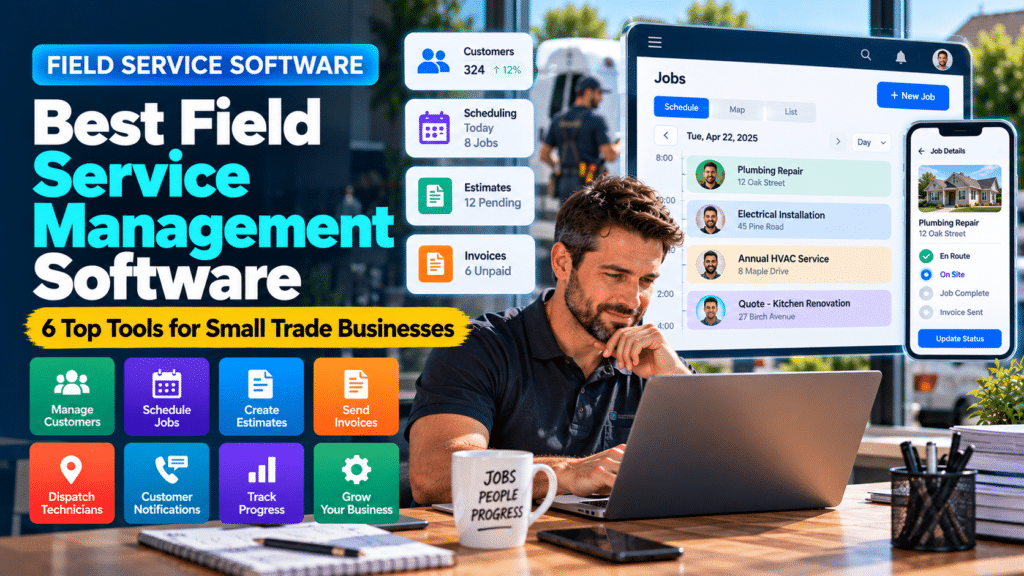
This is why platforms such as Jobber and Housecall Pro are often more useful for plumbers, electricians and HVAC companies than a simple meeting-booking application.
Quick Comparison
| Software | Best For | Main Strength |
|---|---|---|
| Jobber | Trades and field-service businesses | Online booking connected to jobs |
| Housecall Pro | Home-service companies | Booking plus technician scheduling |
| Square Appointments | Appointment-led service businesses | Scheduling plus payments |
| Setmore | Small teams and solo businesses | Affordable online booking |
| SimplyBook.me | Customizable booking experiences | Flexible customer booking pages |
| Calendly | Consultations and estimates | Simple link-based scheduling |
1. Jobber
Jobber is built specifically for service businesses.
Its online booking system allows customers to submit service requests and, where appropriate, choose available appointment times based on the team’s schedule. Businesses can configure forms to collect job details before scheduling, which is especially useful when the work needs to be reviewed first (source: Jobber Help Center).
Why Jobber Works Well for Trades
A customer booking does not need to exist as an isolated calendar event.
It can become part of a larger workflow involving:
- customer information;
- job details;
- scheduling;
- quotes;
- invoices.
That makes Jobber more useful for trade businesses than a general appointment scheduler.
Useful Booking Controls
Jobber currently lets businesses control things such as:
- how soon customers can book;
- booking intervals;
- available times;
- whether customers book an assessment or a job;
- what information customers must provide.
That flexibility helps prevent customers from booking unsuitable work without giving the business enough information first (source: Jobber Help Center).
Best For
Jobber is particularly relevant to:
- plumbers;
- electricians;
- landscapers;
- cleaners;
- contractors;
- other field-service businesses.
2. Housecall Pro
Housecall Pro also combines online booking with field-service operations.
Customers can book through a business website, Google or a direct booking link. Businesses can choose flexible scheduling, fixed start times or manual booking where customers submit their information but do not choose the final appointment time themselves (source: Housecall Pro Help Center).
Why This Matters for Home Services
Not every home-service job should be booked automatically.
A plumbing company, for example, may want to review an emergency enquiry before assigning a time.
Housecall Pro’s manual booking option can create an unscheduled job or estimate that staff review before dispatching a technician (source: Housecall Pro Help Center).
Auto-Scheduling
For standardized services, Housecall Pro can also automatically place bookings into employee calendars based on availability and service assignments (source: Housecall Pro Help Center).
Best For
Housecall Pro makes sense for:
- plumbing companies;
- HVAC businesses;
- electricians;
- other home-service teams;
- businesses coordinating several technicians.
3. Square Appointments
Square Appointments is especially useful when appointment booking and payments need to work together.
Businesses can provide a customer-facing booking website, manage calendars and accept payments through the broader Square ecosystem (source: Square).
Why Small Businesses May Like It
Square currently offers a free tier without a monthly subscription fee, although payment-processing fees still apply when taking payments. Higher plans add more scheduling and management functionality (source: Square).
Useful Features
Square Appointments supports:
- online booking;
- calendars;
- availability management;
- appointment confirmations;
- reminders;
- payment collection.
Best For
It may work particularly well for:
- cleaning appointments;
- consultations;
- repair appointments;
- personal-service businesses;
- small service teams where payment and booking are closely connected.
Potential Limitation for Trades
Square Appointments is not a full field-service management system.
If a business needs technician dispatch, detailed job records and service history, Jobber or Housecall Pro may fit better.
4. Setmore
Setmore is a straightforward appointment scheduling platform with a strong entry-level offering.
Its current free plan supports up to four users and unlimited appointments, along with booking pages, email reminders and confirmations. Its paid plan adds features including SMS reminders, recurring appointments and two-way calendar sync (source: Setmore).
Why Setmore Is Attractive
For a very small business, the ability to start without a monthly subscription can make it easier to test online booking before investing in more advanced software.
Useful Features
Depending on the plan, Setmore can provide:
- online booking;
- team calendars;
- email reminders;
- SMS reminders;
- recurring appointments;
- payment options;
- calendar synchronization.
Best For
Setmore can work well for:
- solo service businesses;
- small teams;
- appointment-based contractors;
- cleaning companies;
- businesses wanting a simple booking page.
5. SimplyBook.me
SimplyBook.me focuses strongly on customer-facing online booking.
It allows businesses to create a booking website and structure services around different providers and available times.
Why It Can Work for Service Businesses
It is useful when a company wants customers to move through a clear booking process such as:
Choose Service → Choose Provider → Choose Time → Book
That works particularly well when services are standardized.
Good Use Cases
Examples might include:
- cleaning visits;
- consultations;
- inspection appointments;
- routine maintenance;
- scheduled service calls.
Possible Limitation
Businesses dealing with highly unpredictable jobs may need more control before confirming an appointment.
For example, a plumber may need to know whether the enquiry is a minor leak or a major emergency before offering a time slot.
6. Calendly
Calendly is primarily built for meetings rather than field-service jobs.
That does not make it useless for trades.
It can be very effective for:
- consultations;
- quote calls;
- site-survey bookings;
- sales conversations;
- initial discovery calls.
Example
A contractor might place a link on their website that says:
Book a Free Project Consultation
The customer selects an available time and the appointment is added to the calendar.
Where Calendly Is Less Suitable
Calendly is not designed to manage:
- technicians;
- detailed jobs;
- dispatch;
- invoices;
- service history.
That means it is better as a front-end appointment tool than as a complete operational system for a trades business.
Which Appointment Scheduling Software Is Best for Trades?
The right choice depends on what happens after the appointment is booked.
Choose Jobber When
You want appointment booking connected to:
- customers;
- jobs;
- quotes;
- invoices;
- service workflows.
Choose Housecall Pro When
You need:
- online booking;
- technician scheduling;
- job management;
- home-service workflows.
Choose Square Appointments When
Booking and payment are closely connected and you do not require advanced field-service management.
Choose Setmore When
You want an affordable and straightforward appointment-booking platform.
Choose SimplyBook.me When
The customer-facing booking experience and service customization are especially important.
Choose Calendly When
You mainly schedule consultations, estimate calls or meetings.
Features Trades Businesses Should Look For
Customer Intake Forms
Trades businesses often need more than a name and appointment time.
Useful booking forms may ask for:
- service required;
- property type;
- postcode;
- problem description;
- photographs;
- urgency;
- preferred time.
The more complex the job, the more important this becomes.
Manual Approval
Not every customer should be able to book directly into the calendar.
Manual approval is useful when:
- job duration is uncertain;
- pricing depends on inspection;
- emergency work must be prioritized;
- the business needs to confirm the service area.
Technician Assignment
Growing trades businesses should be able to assign work to the right technician.
The software may need to consider:
- availability;
- skills;
- service type;
- location.
Online Booking
Customers should have the option to request or book services outside normal office hours.
Automated Reminders
Reminders can reduce missed appointments.
Common options include:
- email;
- SMS;
- push notifications.
Recurring Appointments
This is particularly useful for:
- cleaning;
- landscaping;
- maintenance;
- servicing.
Calendar Integration
The software should ideally synchronize with calendars the business already uses.
Mobile Access
Field workers need to view schedule details away from the office.
Payments or Deposits
Some businesses may want to collect:
- deposits;
- call-out charges;
- full payment.
A payment option during booking can help reduce no-shows for certain service types.
Online Booking for Plumbers
Plumbing businesses should be cautious about allowing completely unrestricted booking.
A customer selecting:
Plumbing Repair — 30 minutes
may underestimate the seriousness of the problem.
A better approach might be:
Customer submits issue → business reviews details → appointment confirmed
For standardized services, direct booking may work well.
For emergencies or diagnostic work, manual review can provide more control.
Online Booking for Electricians
Electricians can use online appointment scheduling for:
- EV charger consultations;
- electrical inspections;
- quote visits;
- smaller service calls.
Larger installations may require an enquiry or site assessment before a final appointment is scheduled.
Online Booking for Cleaning Businesses
Cleaning businesses are particularly well suited to online booking because many services are easier to standardize.
A booking form might ask:
- property size;
- cleaning type;
- number of rooms;
- preferred frequency;
- date and time.
Recurring scheduling can also be very valuable.
Online Booking for HVAC Companies
HVAC companies often handle both scheduled servicing and urgent breakdowns.
Routine maintenance can be offered through online booking.
Emergency or diagnostic enquiries may be better routed through a manual review process.
Online Booking for Contractors
Contractors can use scheduling software for:
- consultations;
- site visits;
- estimate appointments;
- project discussions.
It is usually less suitable for allowing customers to directly book an entire construction project.
Should Customers Be Allowed to Book Automatically?
Not always.
Automatic booking works best when:
- the service is clearly defined;
- the duration is predictable;
- the price or pricing method is understood;
- staff availability is reliable.
Manual review is better when:
- the job is complex;
- the duration is unknown;
- specialized skills may be required;
- the enquiry may be urgent.
Many trades businesses benefit from combining both approaches.
How Appointment Scheduling Can Reduce Admin
Consider the traditional process.
A customer calls.
The business misses the call.
The customer leaves a voicemail.
Someone calls back.
The customer is busy.
Another call happens later.
Several messages are exchanged before a time is agreed.
Online scheduling can simplify that process.
A customer can:
Choose Service → Enter Details → Select Time → Receive Confirmation
For appropriate services, that can eliminate a significant amount of routine communication.
Can Appointment Scheduling Increase Bookings?
Scheduling software does not automatically create demand.
However, it can reduce friction for people who already want to book.
A customer visiting a website at 9 PM may be able to secure an appointment immediately instead of waiting until the next morning.
The easier the booking process is, the less opportunity there is for a motivated prospect to abandon it because they cannot reach the business.
How to Choose Appointment Scheduling Software
Identify What Customers Are Booking
Are they booking:
- a full job;
- an estimate;
- a consultation;
- an inspection;
- a recurring service?
The answer strongly affects the software you need.
Decide Whether Bookings Need Approval
Complex trades often need manual review.
Decide Whether Technicians Must Be Assigned
If several employees perform different work, staff scheduling matters.
Check Website Integration
Your booking system should work smoothly with your website.
Test Mobile Booking
Most customers will eventually interact with the booking page from a phone.
Make sure the process is easy.
Check Reminder Options
Confirm whether:
- email reminders;
- SMS reminders;
- confirmations
are included or require a higher plan.
Check Payment Features
If you want deposits or payments during booking, verify that the software supports them.
Test It Yourself
Complete a booking as if you were a customer.
Then check what happens inside the business dashboard.
A system should be simple on both sides.
Common Appointment Scheduling Mistakes
Offering Too Many Services
A booking menu with dozens of confusing choices creates friction.
Keep service options clear.
Allowing Complex Jobs to Book Automatically
Some work needs review before a time is confirmed.
Asking Too Few Questions
If staff do not know what the customer needs, the booking may not be useful.
Asking Too Many Questions
A twenty-field booking form can discourage customers.
Collect only what is necessary.
Ignoring Travel Time
Field-service businesses must account for travel between jobs.
Forgetting Buffer Time
Back-to-back appointments may not be realistic for field workers.
Not Providing a Human Alternative
Some customers will still want to call.
Do not make online booking the only way to contact the business.
Appointment Scheduling Software vs Field Service Software
Use appointment scheduling software when your main need is:
Book appointments efficiently.
Use field-service software when your need is:
Book appointments + assign technicians + manage jobs + send invoices.
Some businesses begin with simple booking software and later upgrade as they grow.
Others may save time by starting with a complete field-service system.
Scheduling Software for Plumbing Companies
Plumbing has its own scheduling problems: emergency call-outs, jobs that overrun, and parts that are not on the van. These notes apply the advice above to plumbing businesses.
Why Plumbing Businesses Need Better Scheduling
Scheduling problems usually become more visible as a company grows.
A solo plumber may be able to manage everything from a phone calendar.
But once the business has several technicians, new problems appear.
These may include:
- double bookings;
- missed appointments;
- technicians receiving incomplete job details;
- excessive travel between jobs;
- emergency calls disrupting the schedule;
- customers not knowing when someone will arrive;
- jobs being forgotten after rescheduling.
A centralized scheduling system can make the working day easier to understand for both office staff and technicians.
3. FieldPulse
FieldPulse is a field-service management platform focused heavily on trades.
Its current platform includes scheduling and dispatching, job management, customer management, work orders, estimates, invoices, reporting, routing and other operational features (source: FieldPulse).
Why FieldPulse Is Useful for Plumbing Teams
FieldPulse can be attractive when a business wants more control over how jobs move through the company.
For example, a plumbing business could use stages such as:
New Job
↓
Scheduled
↓
Technician Assigned
↓
En Route
↓
In Progress
↓
Completed
That creates better visibility across the entire team.
Useful Features
FieldPulse currently offers tools around:
- scheduling;
- dispatch;
- routing;
- job management;
- work orders;
- customer records;
- estimates;
- invoicing;
- custom workflows;
- reporting (source: FieldPulse).
Pricing Approach
FieldPulse currently uses customized, seat-based pricing rather than publishing one simple fixed price for every business (source: FieldPulse).
That means businesses should request pricing based on their team size and required features.
Best For
FieldPulse may be especially useful for:
- growing plumbing companies;
- multi-technician teams;
- businesses wanting customizable workflows;
- companies needing stronger job-management functionality.
Possible Limitation
A solo plumber who only needs a simple calendar and invoices may not need the platform’s full operational depth.
4. Workiz
Workiz is another field-service platform built around managing service jobs.
Its current plans include scheduling, jobs, estimates, invoices, client management, payments, reports and workflow automation. Higher tiers add more advanced automation and operational functionality (source: Workiz).
Why Workiz Is Relevant to Plumbers
Workiz can help connect scheduling to the wider job lifecycle.
The workflow may look like:
Lead
↓
Job Scheduled
↓
Technician Assigned
↓
Work Completed
↓
Invoice
This reduces the need to transfer customer details manually between several different systems.
Automation
One of Workiz’s stronger angles is automation.
Current plans include different levels of automation, while higher plans add capabilities such as more advanced scheduling tools and service-management features (source: Workiz).
Useful Plumbing Applications
A plumbing company might automate:
- appointment confirmations;
- technician notifications;
- customer reminders;
- invoice follow-ups.
Best For
Workiz may suit:
- plumbing companies;
- home-service businesses;
- teams wanting scheduling plus automation;
- businesses trying to reduce repetitive administration.
Possible Limitation
Because the current pricing pages use quote-based pricing, businesses need to contact the provider to understand their actual cost (source: Workiz).
5. ServiceTitan
ServiceTitan is a more advanced field-service platform used heavily by home-service companies.
Its current Starter package includes:
- dispatching;
- scheduling;
- call booking;
- invoicing;
- pricebook functionality.
Higher packages add features such as mobile estimates, payroll management and advanced reporting (source: ServiceTitan).
Why ServiceTitan Is Different
ServiceTitan is more operationally comprehensive than a basic scheduling application.
It can become relevant when a plumbing business has:
- multiple technicians;
- dispatchers;
- call-booking staff;
- larger job volumes;
- more complex reporting requirements.
Advanced Dispatch and Scheduling
For a larger plumbing company, the problem is not just:
What appointments do we have today?
It is:
Which technician should take each call, how should the schedule change when emergencies arrive, and how does that affect the rest of the business?
That is where deeper field-service platforms become useful.
Pricing
ServiceTitan currently uses per-technician/custom pricing rather than publishing a simple standard monthly figure (source: ServiceTitan).
Best For
ServiceTitan is more relevant to:
- established plumbing companies;
- larger residential service businesses;
- multi-technician teams;
- companies requiring advanced operations and reporting.
Possible Limitation
A one-person or very small plumbing business may find the platform more complex than necessary.
Scheduling Software for Emergency Plumbing Companies
Emergency plumbing requires more flexible scheduling than many other service businesses.
A normal day might be planned perfectly at 8 AM.
By 10 AM, two emergency calls can change everything.
For this type of business, prioritize:
- quick dispatch;
- technician visibility;
- mobile notifications;
- customer communication;
- easy rescheduling.
A simple appointment calendar may not be enough.
Scheduling Software for Commercial Plumbers
Commercial plumbing businesses may have different needs.
They may manage:
- larger properties;
- recurring contracts;
- multiple technicians;
- preventive maintenance;
- longer jobs.
Features such as:
- work orders;
- job costing;
- crew scheduling;
- recurring work
may become more important.
Jobber, for example, supports job costing on its Grow and Plus plans, allowing businesses to track factors including labour, expenses and line-item costs against job profitability (source: Jobber Help Center).
Scheduling Software for Solo Plumbers
A solo plumber should avoid unnecessary complexity.
You may only need:
- calendar;
- customer details;
- online booking;
- estimates;
- invoices.
The business has no need for complicated dispatch when there is only one technician.
However, using a field-service platform early can still provide a stronger foundation if you expect to hire soon.
Scheduling Software vs Google Calendar for Plumbers
Google Calendar can work when the business is very small.
It is simple and familiar.
But it does not naturally manage:
- detailed customer history;
- work orders;
- quotes;
- invoices;
- technician performance;
- job status.
A field-service scheduler connects the appointment to the actual work.
Related guides
- Best Invoicing Software for Service Businesses in 2026: 7 Tools Compared
- Best Field Service Management Software for Small Businesses in 2026
- Best Work Order Software for Small Service Businesses
- Tools, Software and Automation for Trades: Start Here
Frequently Asked Questions
What is the best appointment scheduling software for trades?
Jobber and Housecall Pro are strong options for trades because booking can connect directly with jobs, customer records and technician schedules.
What is the best booking software for a small service business?
The right option depends on the workflow. Square Appointments, Setmore and SimplyBook.me can work well for appointment-led businesses, while trades may benefit more from Jobber or Housecall Pro.
Can customers book a plumber online?
Yes. Plumbing businesses can offer online booking, although complex or emergency jobs may be better handled through a request form that staff review before confirming the appointment.
Can electricians use online booking?
Yes. Online booking can work particularly well for consultations, inspections, estimates and standardized electrical services.
Is there free appointment scheduling software?
Yes. Platforms including Square Appointments and Setmore currently provide free entry-level plans, although features and payment fees vary (source: Square).
Do appointment scheduling tools send reminders?
Many do. Email reminders are common, while SMS reminders may depend on the provider or subscription tier.
Is Calendly good for trades?
Calendly can be useful for consultations, estimate appointments and meetings, but it does not provide the full job-management functionality of dedicated field-service platforms.
Conclusion
The best appointment scheduling software for trades should make it easier for customers to book without taking control away from the business.
For plumbers, electricians and other field-service companies, platforms such as Jobber and Housecall Pro provide the advantage of connecting online appointments to wider job-management workflows (source: Jobber Help Center).
For simpler appointment-based businesses, Square Appointments, Setmore, SimplyBook.me or Calendly may provide enough functionality without the complexity of a full field-service platform (source: Square).
The key is understanding what the customer is actually booking.
If the service is standardized, direct online booking may work very well.
If the work is unpredictable or technical, collect the enquiry first and let a person confirm the final appointment.
The best scheduling system should reduce administrative work while still giving your team enough control to deliver the service properly.